Built your way

An innovation tool that streamlines customisation and speeds up delivery.

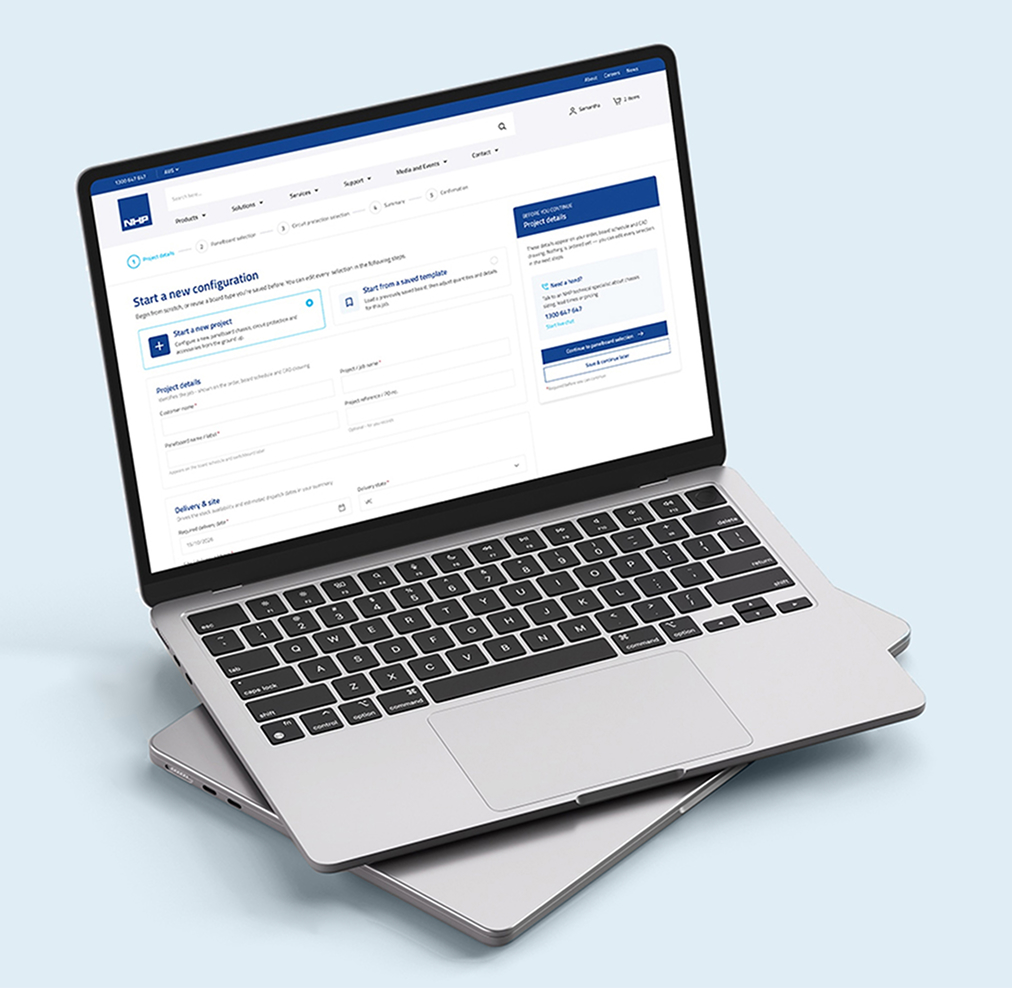
NHP panelboard configurator shown on a laptop

Project overview

NHP, a leading Australian electrical engineering company, is developing a panelboard configurator for users to customise panels efficiently, with high-quality delivery within one week.

Challenges and solutions

Challenges

Complexity of customisation

Configuring boards involves technical details that could overwhelm users.

Guidance for non-experts

Not all users have strong technical expertise, so a simpler, guided experience is needed.

Integration with existing systems

How to integrate with current inventory, pricing and order management system.

Solutions

Intuitive step-by-step design

The configurator guides users step by step, showing only relevant options to ensure compatibility and prevent errors.

Smart defaults

Default settings are pre-filled to minimise decision fatigue for non-expert users.

Fast turnaround time

Orders are processed automatically, with invoices generated within minutes.

Competitive audit report

I conducted a competitor analysis to uncover gaps in user experience and features. These insights guided the design of a seamless, user-friendly ordering process, making it effortless for customers to purchase boards and components through NHP website.

Eaton Loeb Electric Schneider
Clear guided workflow Yes Yes Yes
Tooltip for non-tech users No No Yes
Display components visually Yes Yes Yes
Virtual assistant No No No
Default pre-filled settings No Yes Yes
Real-time pricing and inventory Yes Yes No
Real-time 2D drawing Yes No Yes
Responsive design No No Yes

Persona

Alex Robinson

Expert user

Alex Robinson

Small business owner | 14 yrs experience

Background

Runs a 6-person residential and light commercial electrical contracting firm. Orders panelboards 3–5 times per month across varied job types. Comfortable reading specs but time-poor.

Goals

  • Configure and price a board under 10 minutes, without calling a sales rep
  • Get a confirmed delivery date before committing to a client timeline.
  • Re-use part configurations as a starting template for similar jobs

Frustrations

  • Pricing only appears at checkout, wastes time if the job is over budget
  • Has to re-enter the same spec data for repeat job types every time
  • Stock-outs discovered late in the order process, disrupting site schedules
Mia Thompson

Non-technical user

Mia Thompson

Procurement manager | facilities team

Background

Manages procurement for a 12-site retail property group. Coordinates with an in-house electrician who specifies requirements, but Mia places the actual orders. She has limited electrical knowledge, so she relies on clear language and guided flows to avoid ordering the wrong product.

Goals

  • Place correct orders confidently without needing to interpret technical datasheets
  • Get a formal quote she can route through internal approval before committing

Frustrations

  • Technical jargon in product fields
  • No way to share a draft configuration with the electrician for sign-off before ordering

Colours and typography

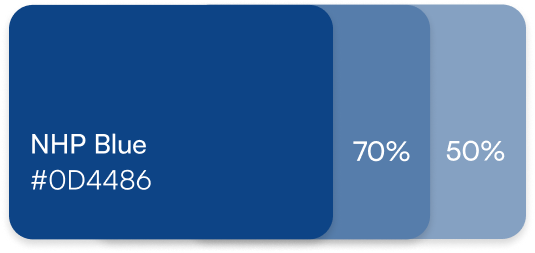
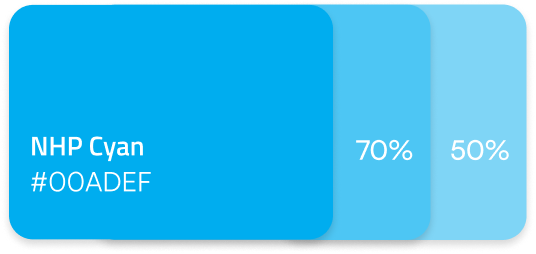
Primary

NHP Blue
NHP Cyan

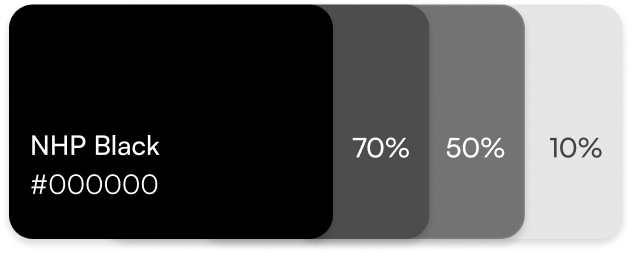
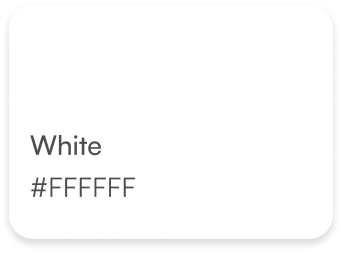
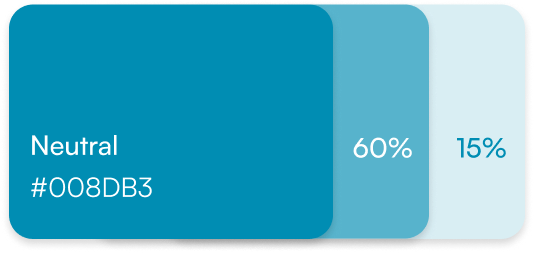
Neutral

NHP Black
White
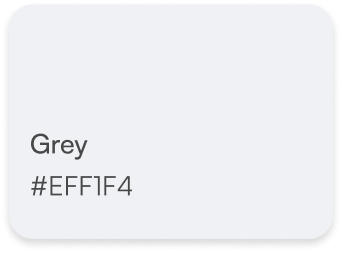
Grey
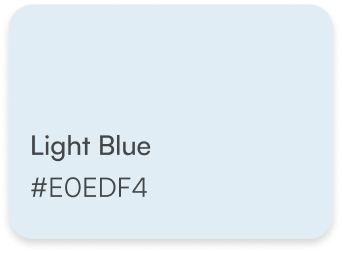
Light Blue

Semantics

Neutral
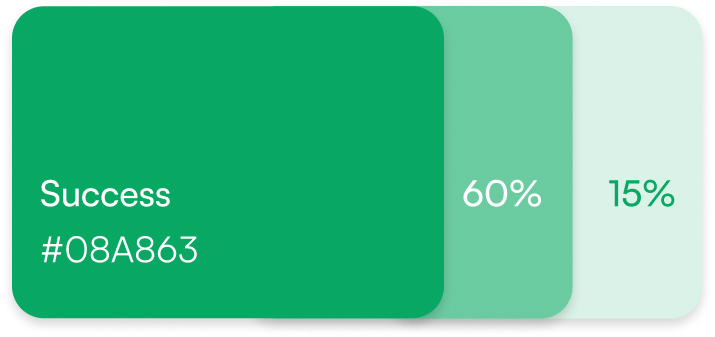
Success
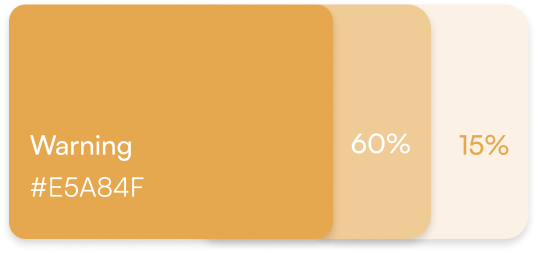
Warning
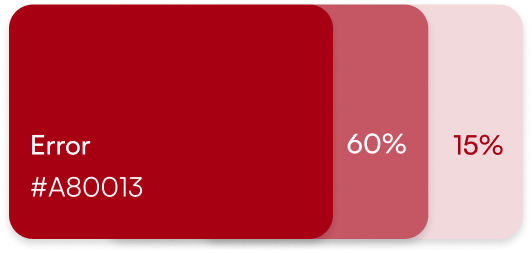
Error

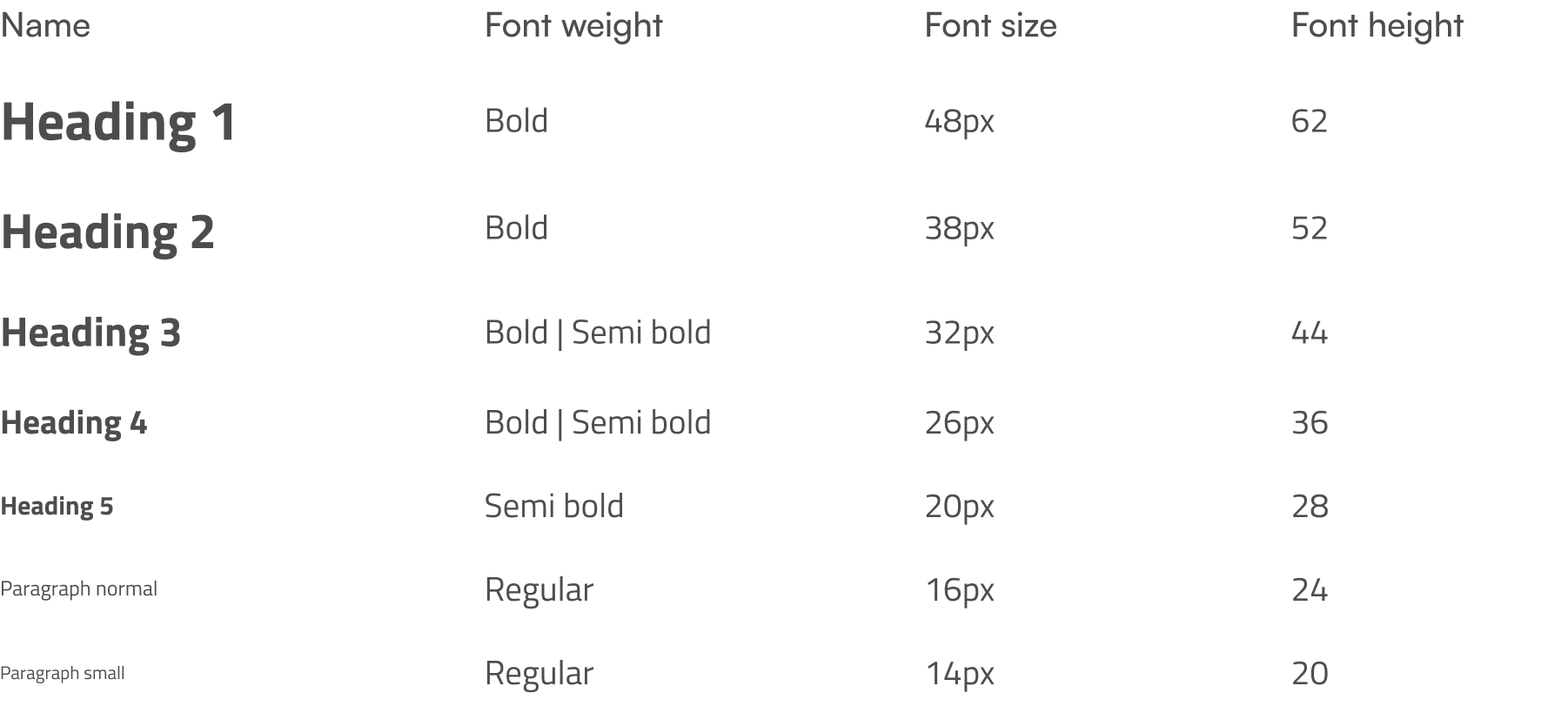
Titillium Web

Titillium Web typography scale

UI Design

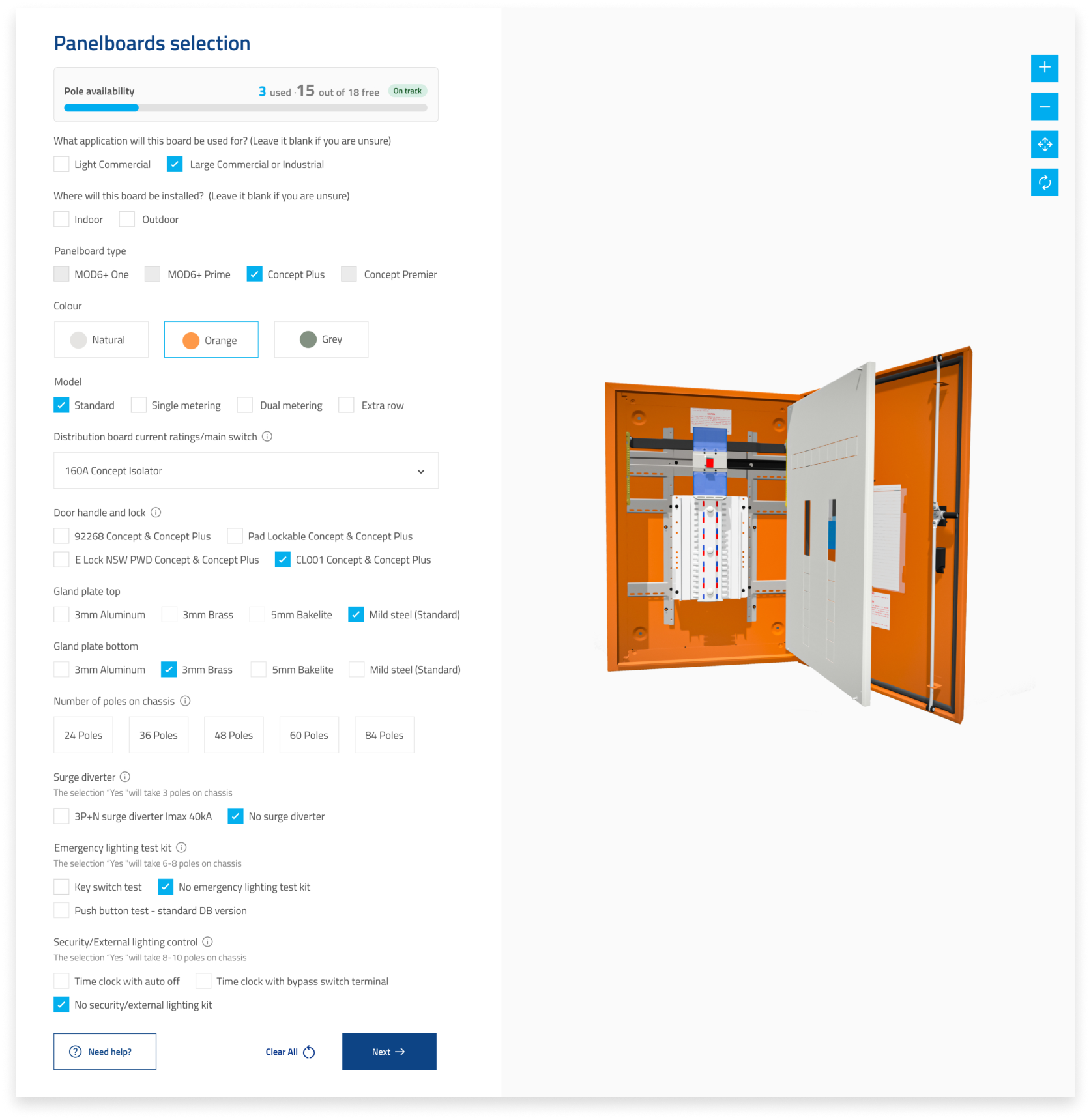
Get started by creating a new project or selecting a saved template — a quick way to save time on similar or repeat tasks.

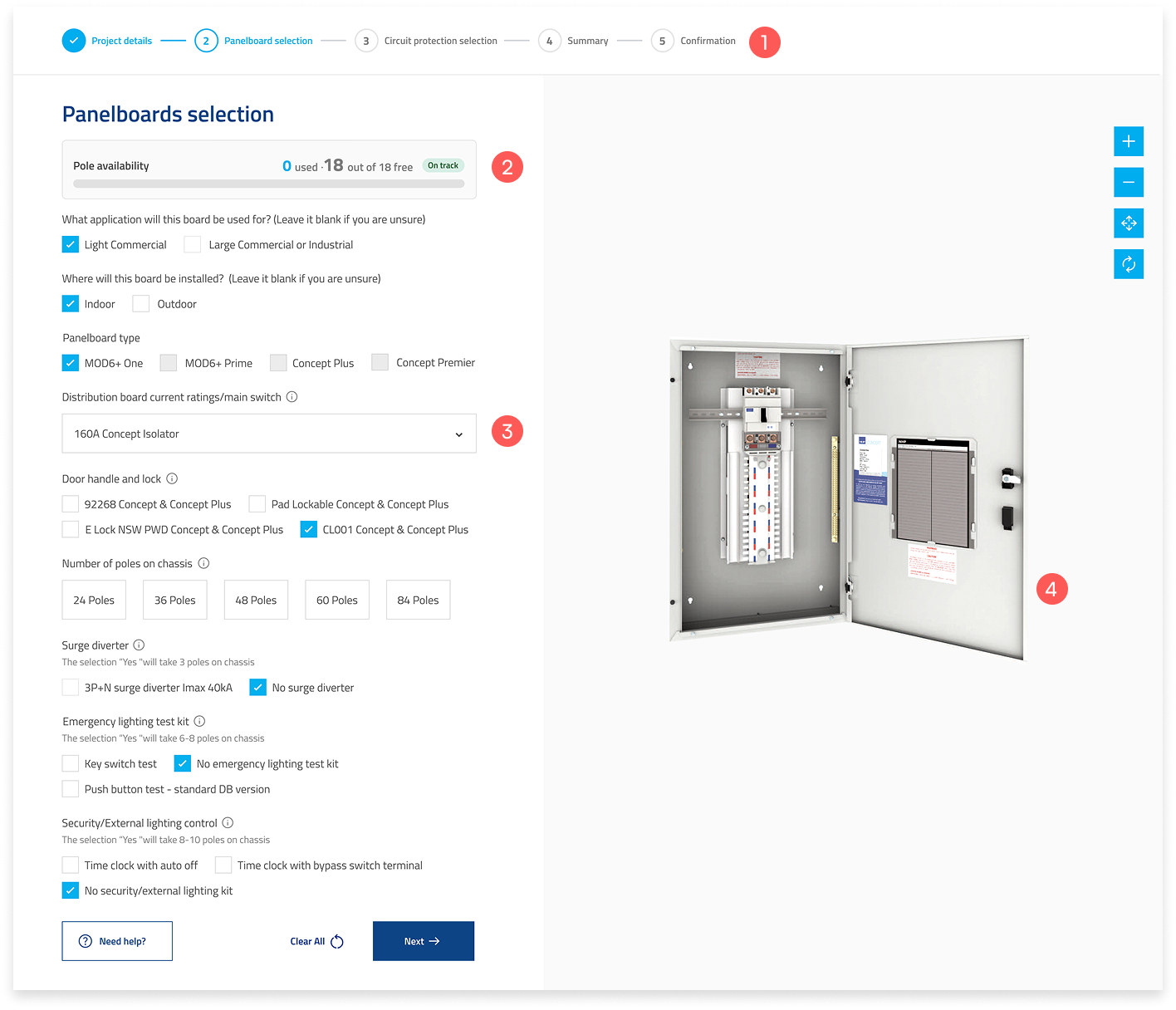
  1. A progress bar keeps users informed of their current position and upcoming steps.
  2. Some selections will consume poles, with the top section displaying both the available poles and the number currently in use.
  3. Certain options are automatically disabled based on prior selections, simplifying the process and reducing decision fatigue for less experienced users.
  4. The interactive 3D panelboard lets users explore views. They can zoom, rotate, and inspect details for a clearer understanding.
Panelboard selection screen

Interactive 3D Component View

Users can click the “i” icons next to each field label to see where the component appears, with the 3D view updating based on the selected board type.

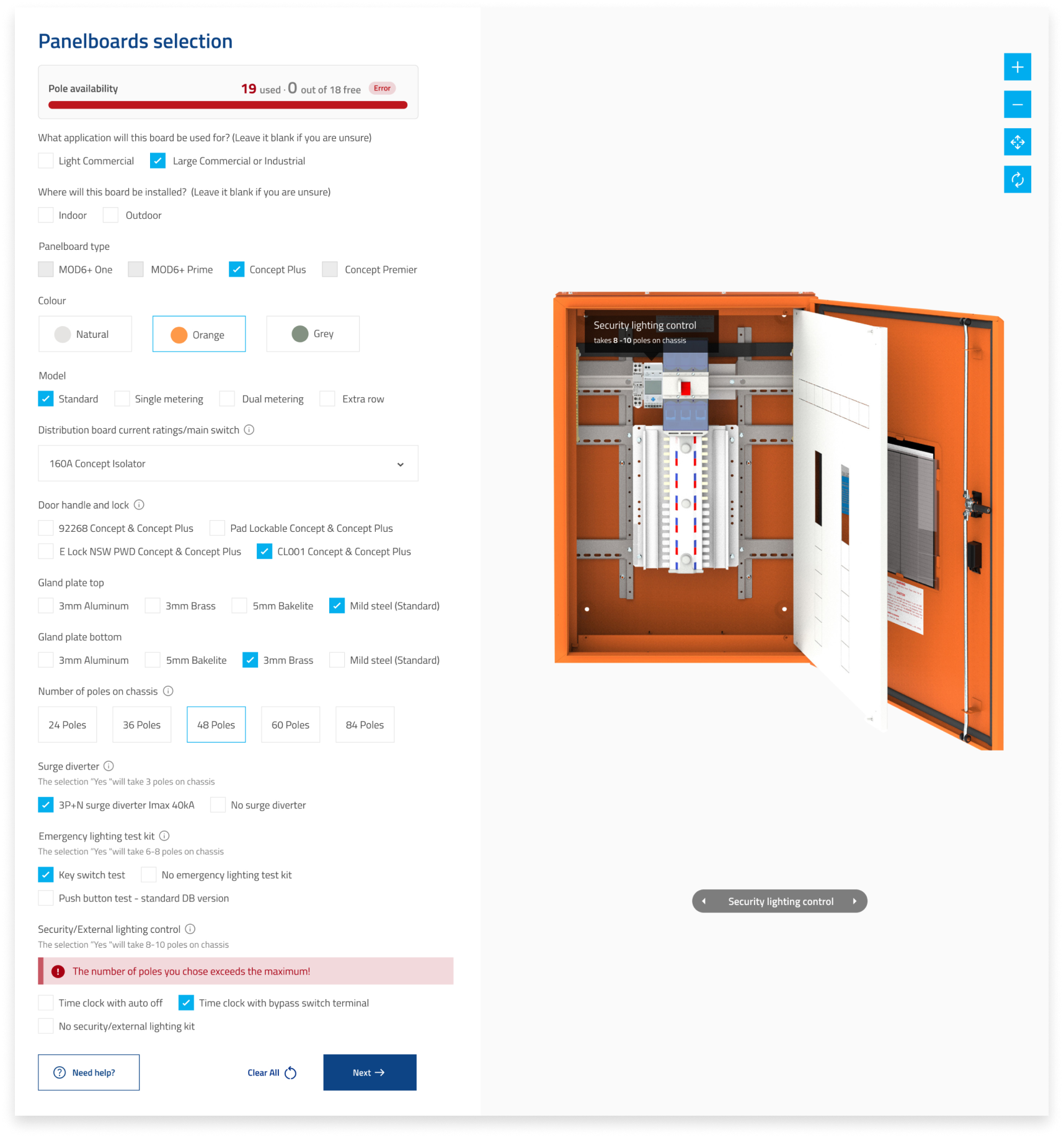
Pole capacity error message

Error message

Each board type supports a different number of poles. If the selected poles exceed the available capacity, an error message will be displayed.

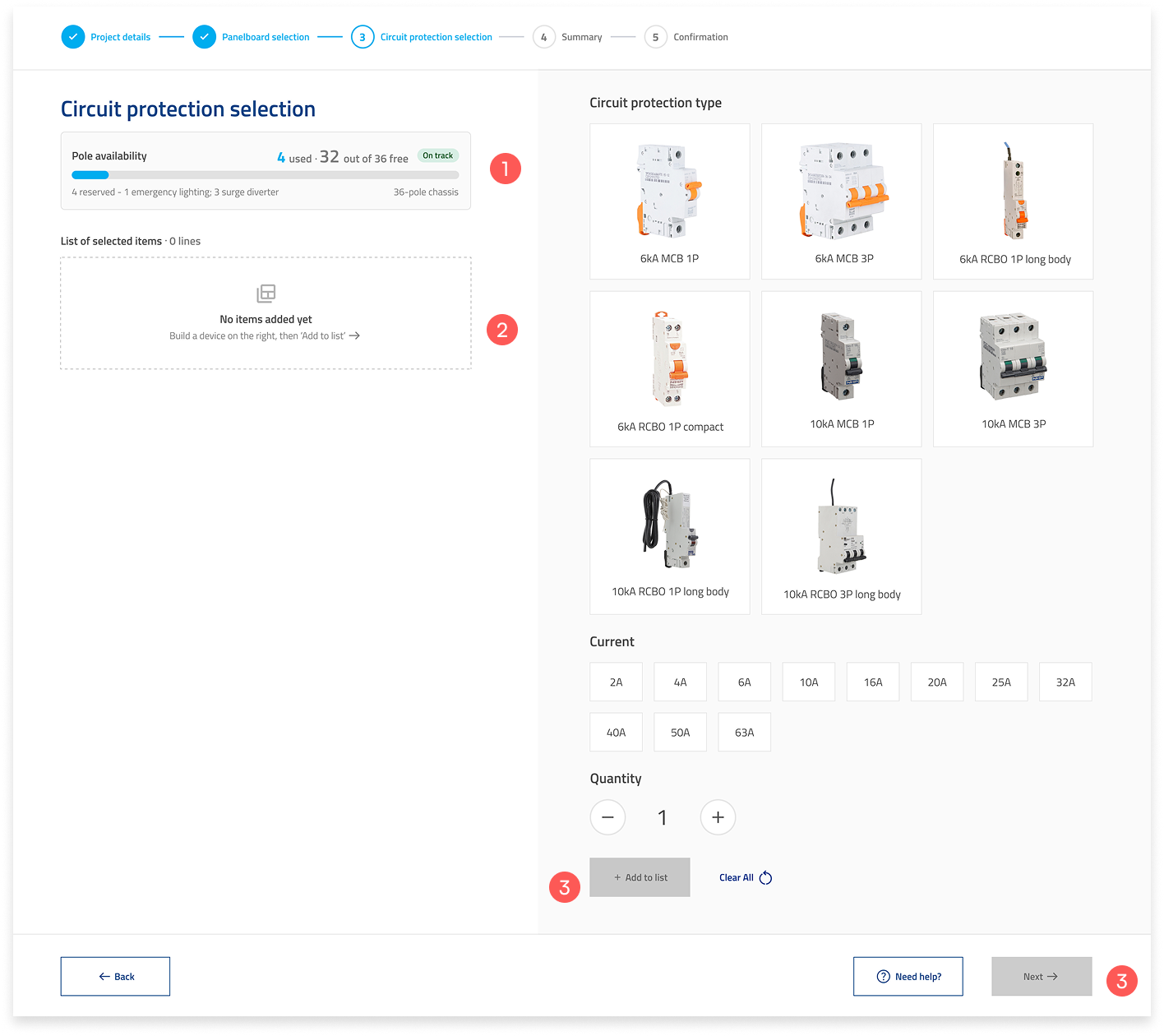
Circuit protection selection screen
  1. A new progress bar for circuit protection that shows how many poles are used based on your previous selection.
  2. An empty state for when no items have been added yet.
  3. The button stays disabled by default until you make a selection.

The flow of adding a circuit protection type to the list.

An error will flag when your selection exceeds the available poles. Resolve it before proceeding to checkout.

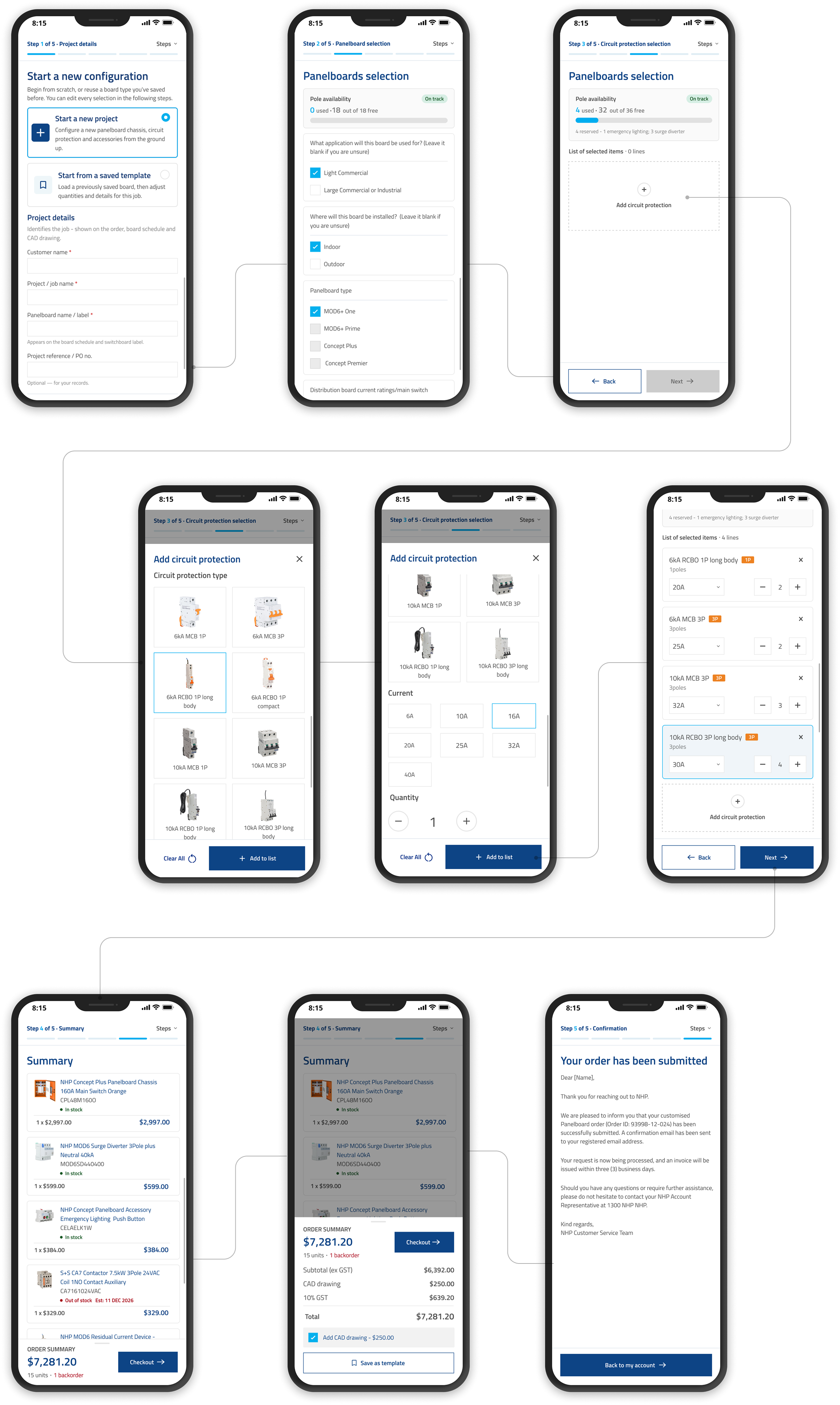
Mobile design

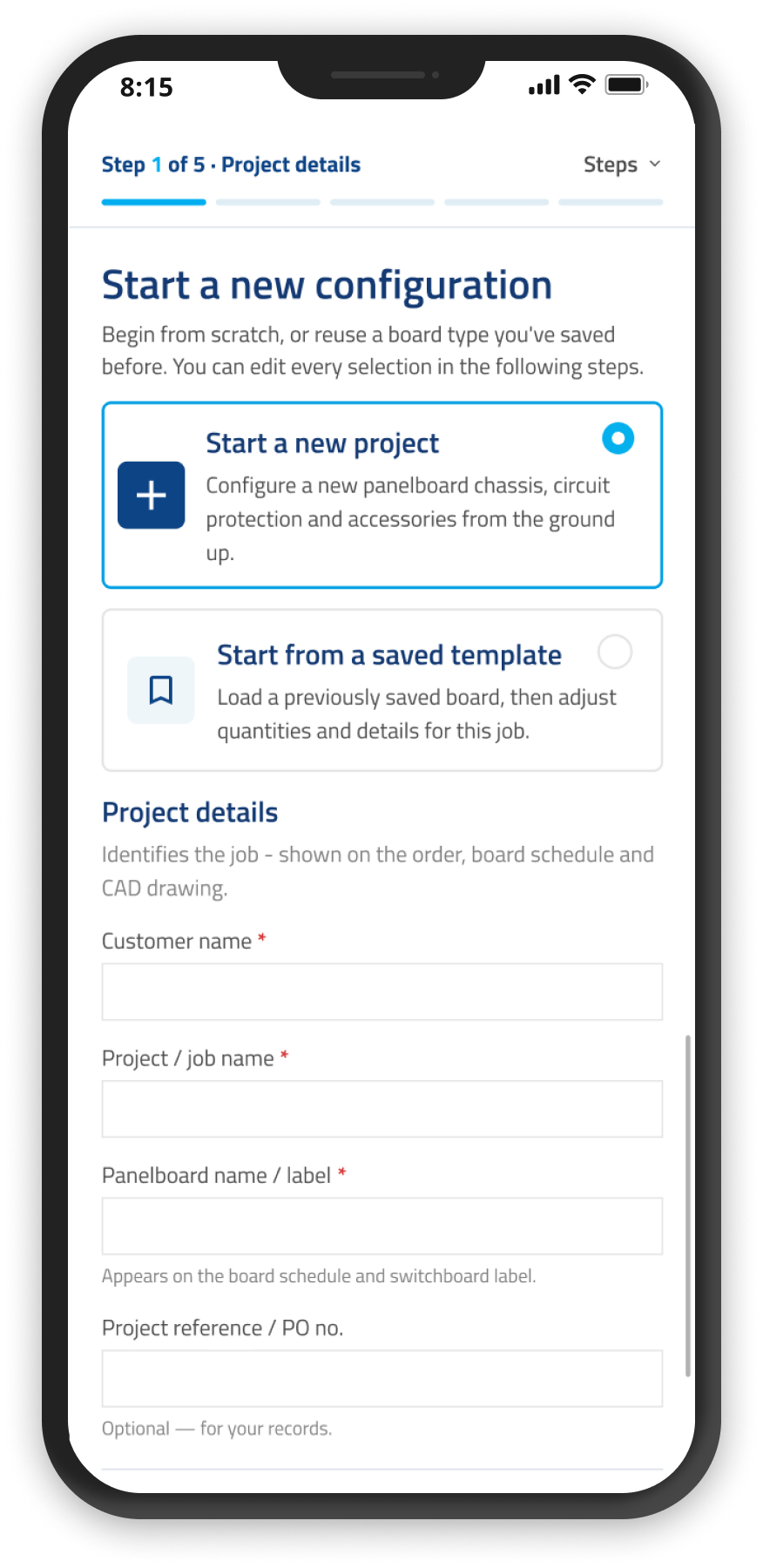
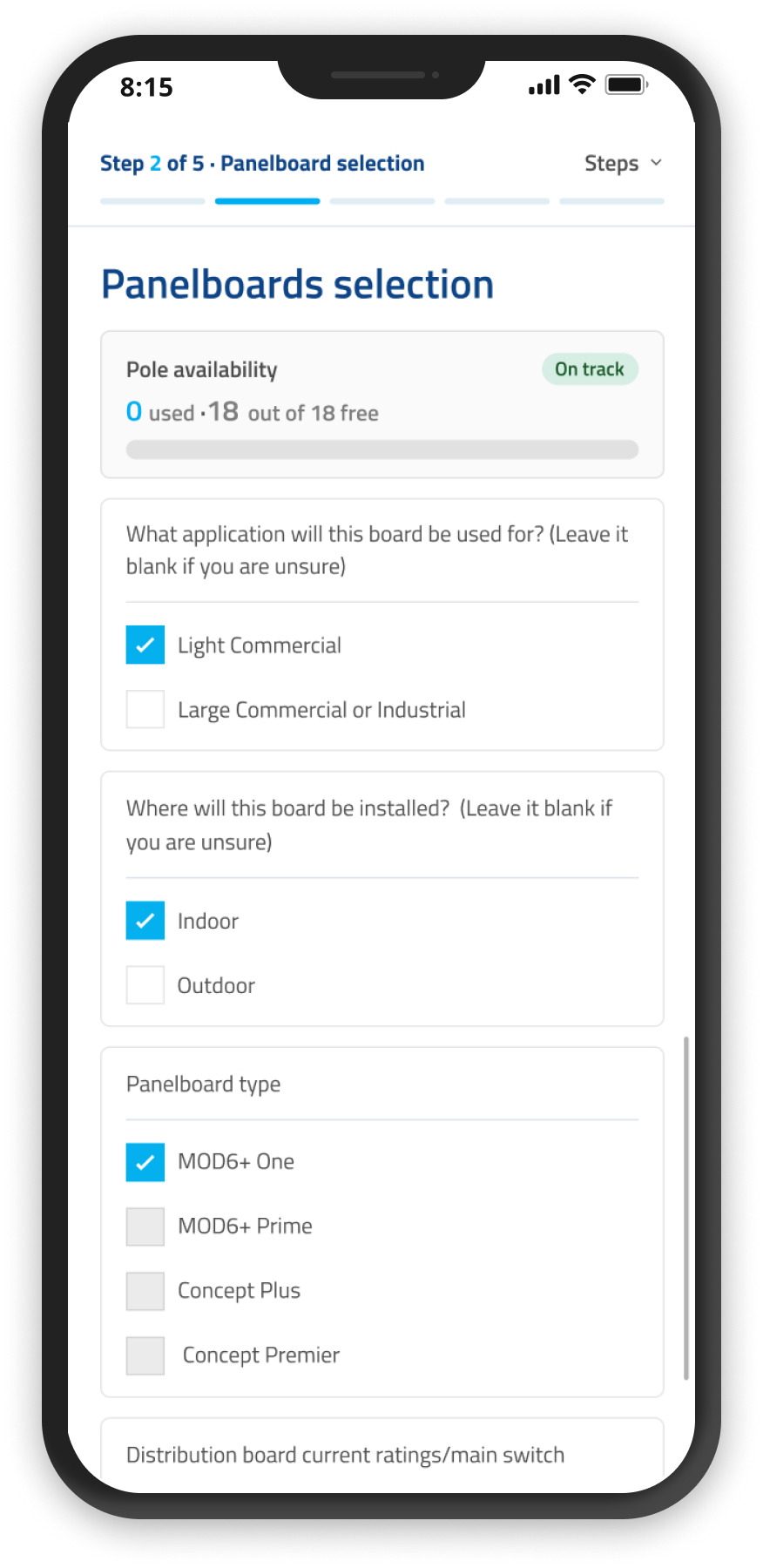
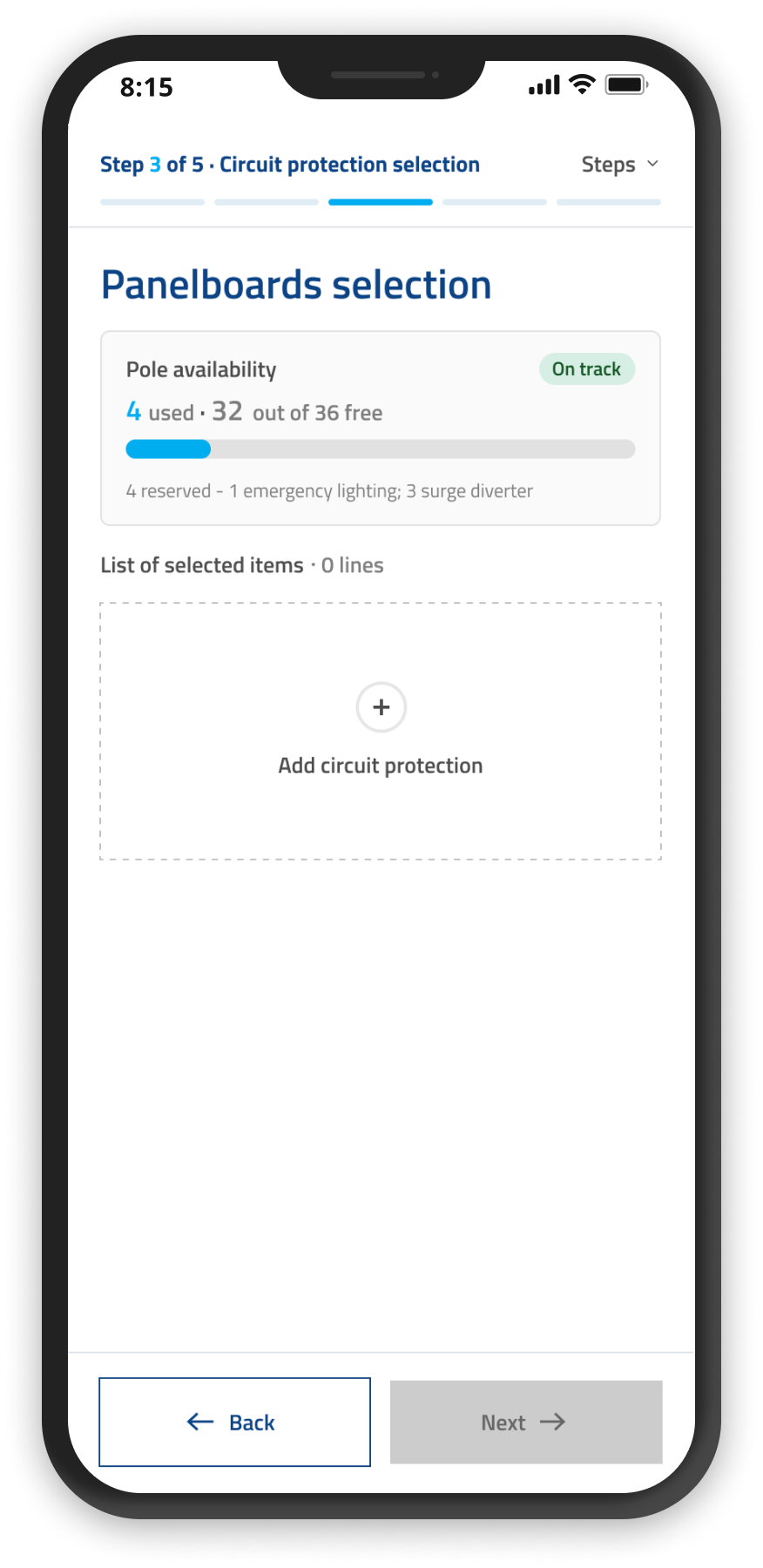
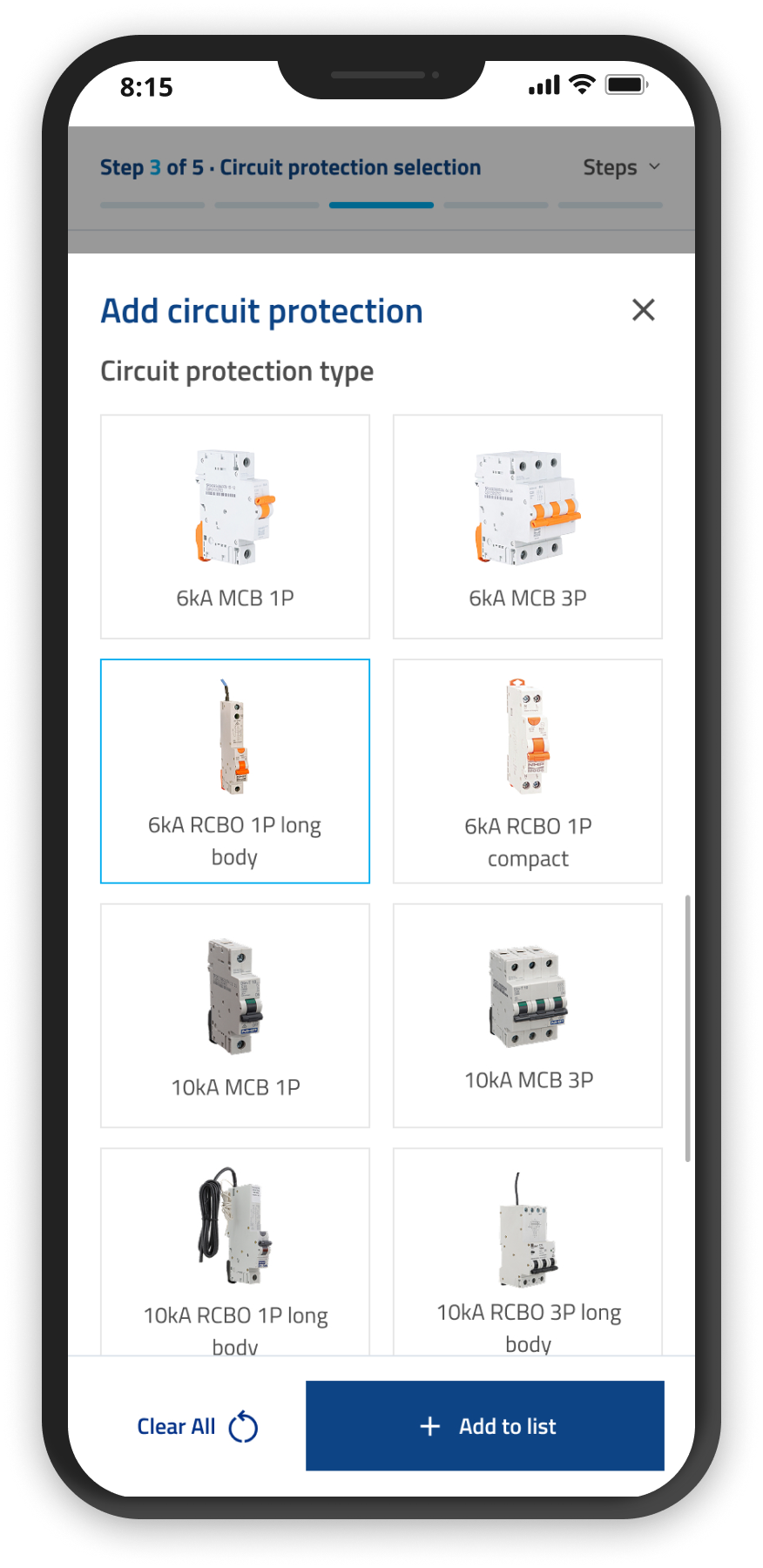
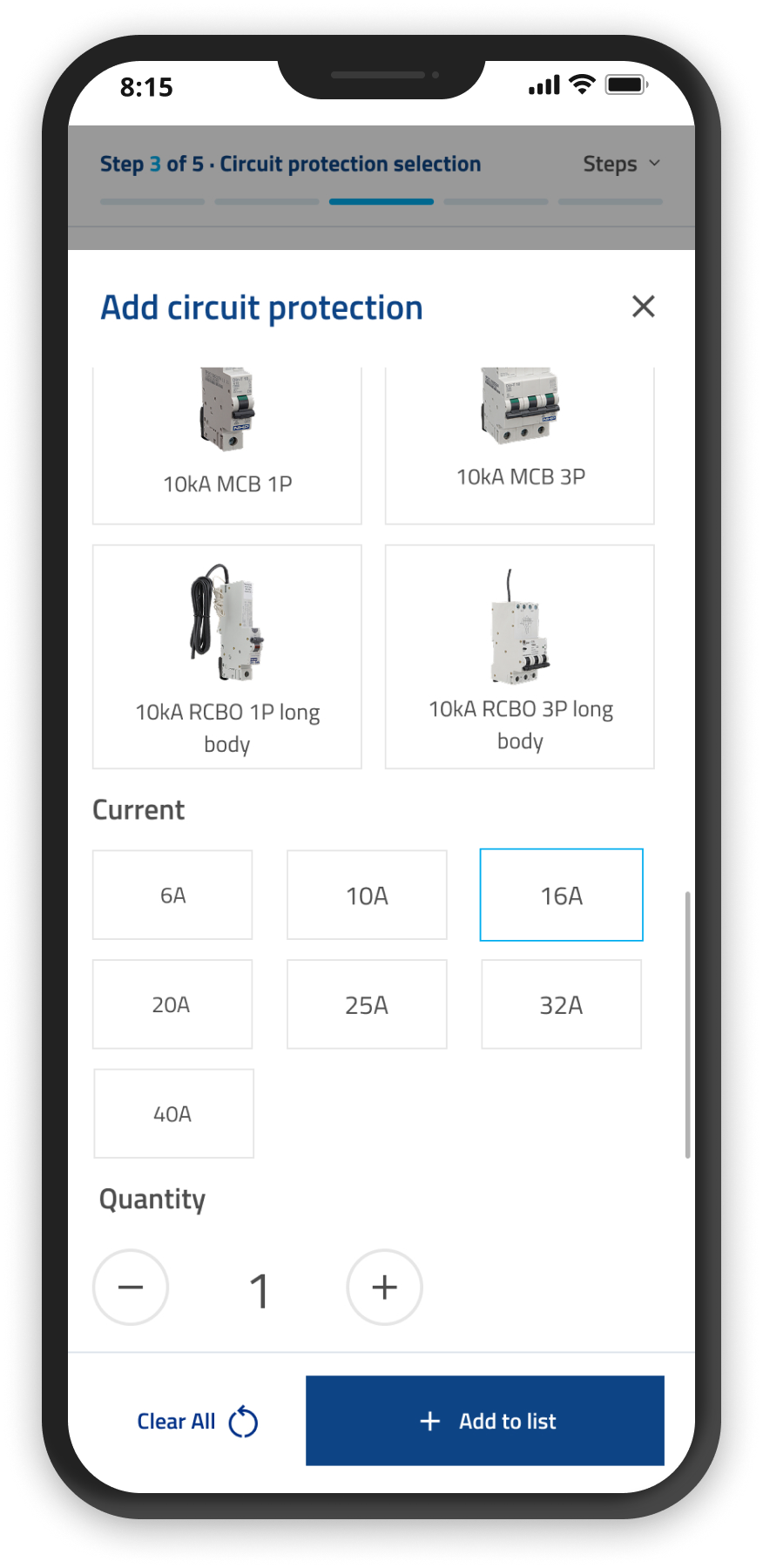
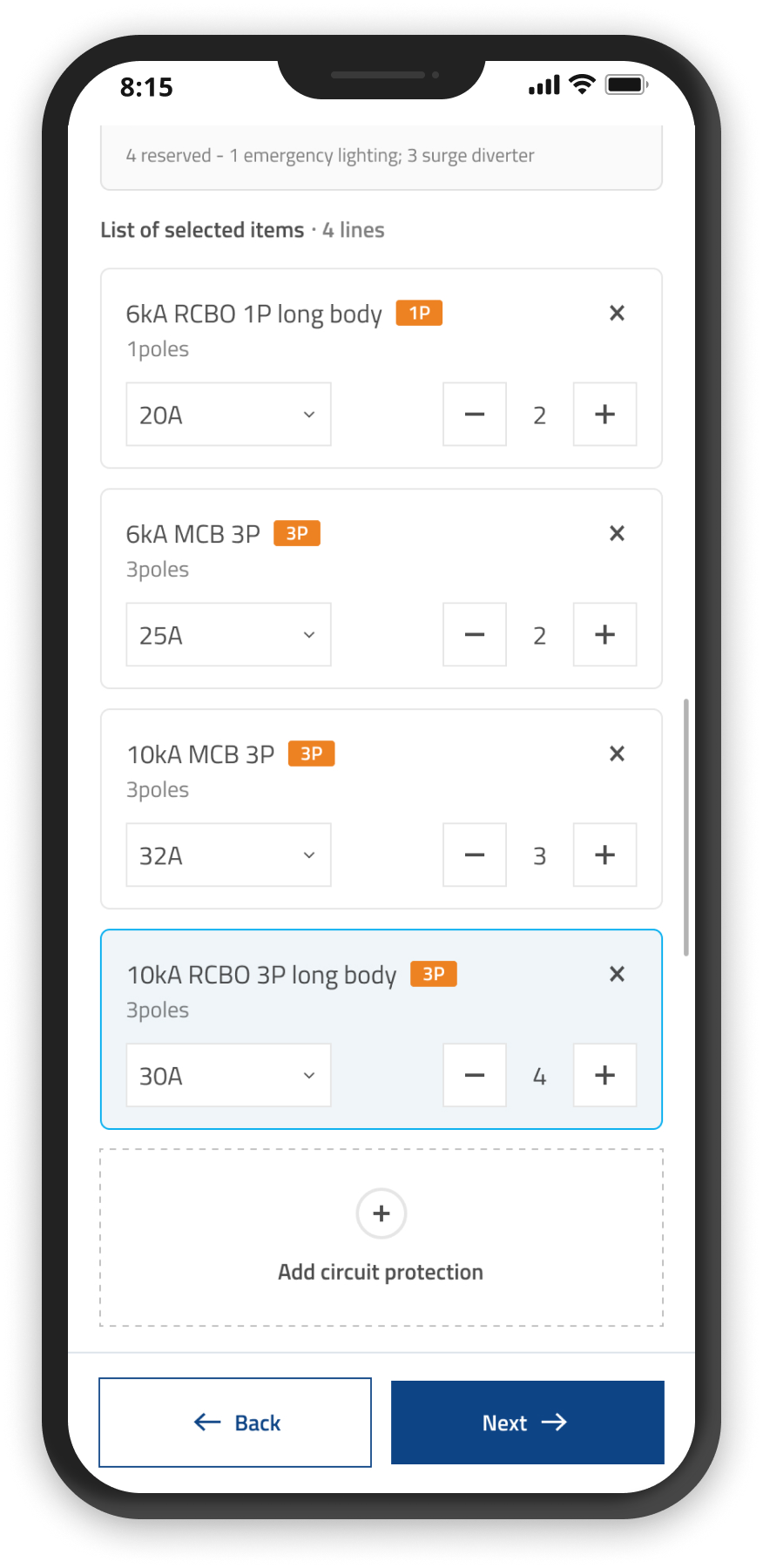
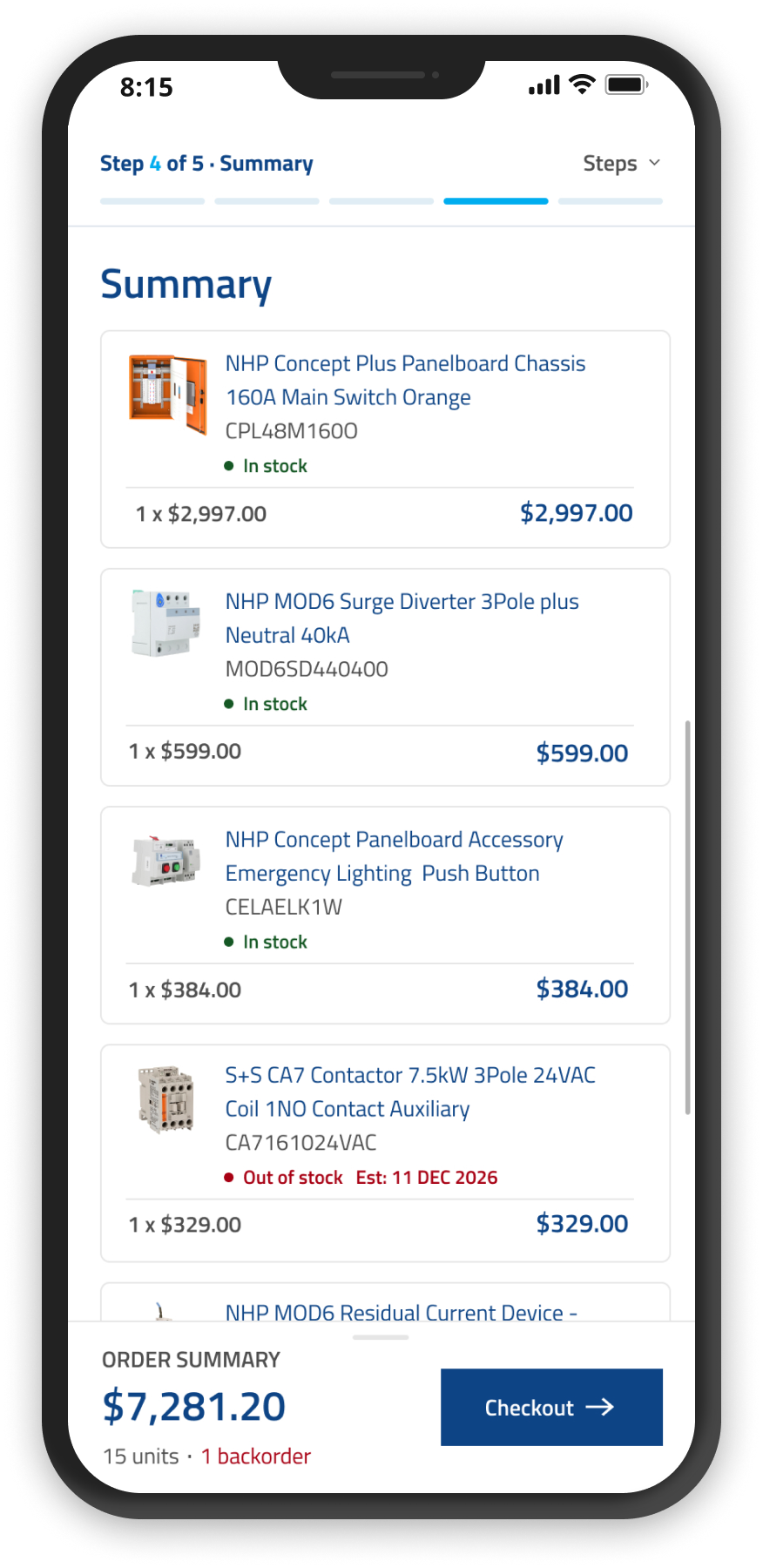
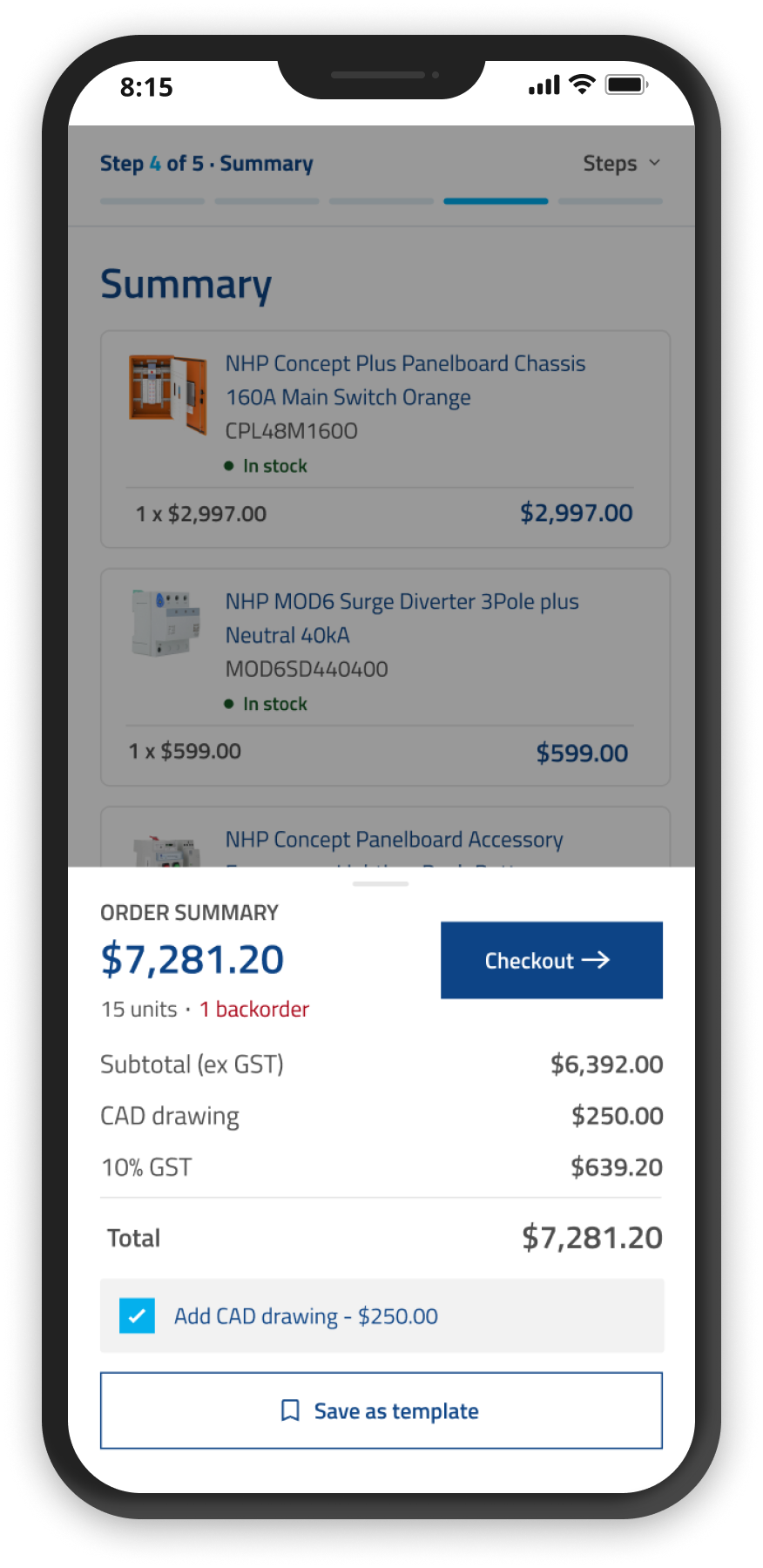
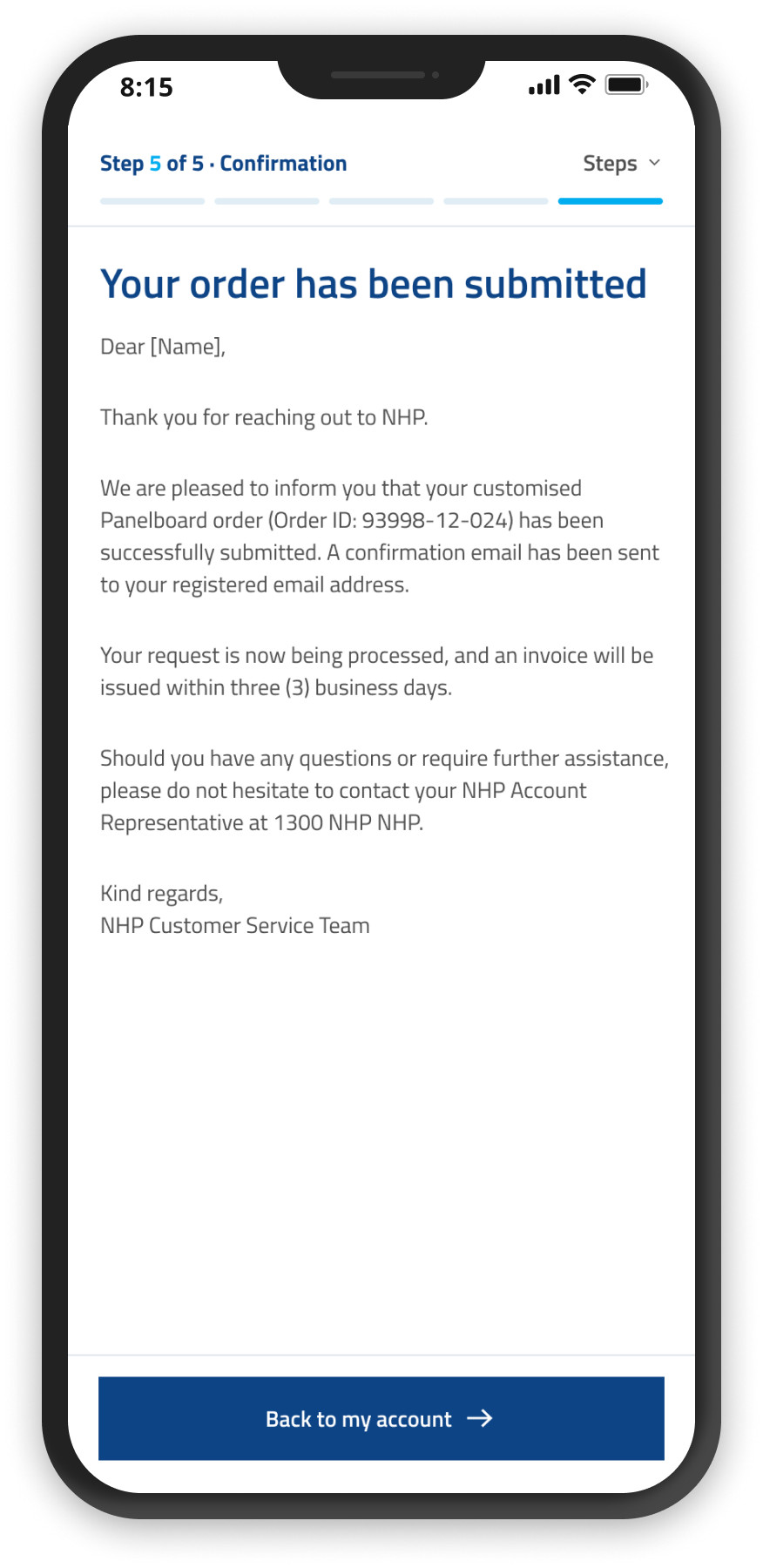
Mobile flow — start a new configuration through circuit protection selection, adding components, and checkout confirmation
Mobile — start a new configuration
Mobile — panelboard selection
Mobile — empty state
Mobile — circuit protection type selection
Mobile — add circuit protection, current and quantity
Mobile — list of selected items
Mobile — order summary
Mobile — expanded summary
Mobile — confirmation

Outcome

The project is set to launch this year. Standard board configurations will be delivered within one week — down from three — cutting out the back-and-forth customers previously faced while waiting on a quotation. For the sales team, this also means fewer emails and phone calls spent supporting customers through that process.