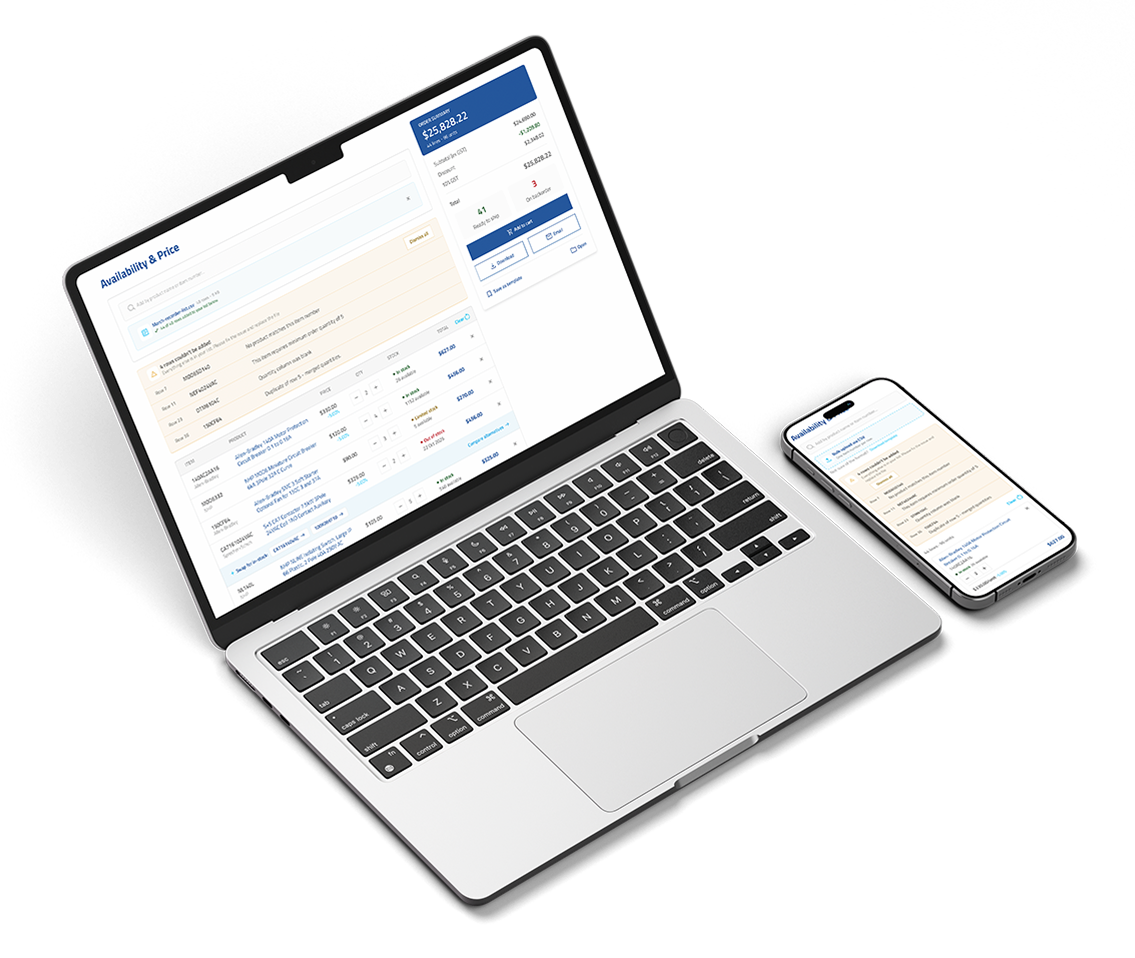
Project overview
NHP is a trusted Australian leader in electrical engineering. The proposed Price and Availability (P&A) feature offers 24/7 access to real-time stock and pricing, integrates seamlessly with the shopping cart, and simplifies bulk ordering — making purchasing faster and more efficient.
User Research
I conducted an online survey with 280+ participants to gather quantitative insights from users who frequently place orders on the NHP website. The research aimed to understand their needs, behaviour, and pain points in the ordering process. Here's what I found:
44% of people visit the NHP website to check availability and pricing, and to place orders directly.
57% say their primary reason for visiting is to check price and availability, with approximately 40% also seeking product information.
48% feel neutral about the current self-service, while around 32% report being satisfied with the service.
Top 3 challenges when using the NHP website to check product information:
- Incomplete or missing product details
- Difficulty comparing multiple products
- Problems with product search functionality
AI-Assisted Analysis
To make sense of 280+ open-ended survey responses efficiently, I used AI to cluster feedback into themes and rank them by frequency of mention — turning raw comments into a prioritised list of issues.
- PrioritisedIncomplete or missing product details
- PrioritisedDifficulty comparing multiple products
- PrioritisedProblems with product search functionality
- NotedConfusing or inconsistent product specifications
- NotedOutdated product information
- NotedDifficult to access technical documents
- NotedOthers
The top three themes accounted for the majority of responses and were carried forward into the feature roadmap below. Issues like inconsistent specifications and outdated documentation stem from data upkeep rather than the interface itself — solving them relies on the product and sales teams consistently reviewing and updating listings, so they were flagged as an ongoing operational follow-up rather than a design feature.
Persona

Bulk buyer
Marcus Webb
Procurement Manager | mid-size electrical contractor
Background
Marcus manages purchasing for a team of 18 electricians across multiple active construction sites. He places large, recurring orders of cable, switchgear, and fittings — often working from a pre-built materials list generated by project managers. Speed and accuracy across dozens of SKUs at once is what he optimises for.
Goals
- See account-specific contract pricing upfront
- Upload order lists directly from project spreadsheets
- Know instantly which items are in stock before committing
Frustrations
- Adding 40 items one-by-one to a cart is unusable
- Pricing shown online differs from negotiated rates
- Restock date not visible until checkout

Sole trader
Priya Nair
Independent electrical technician
Background
Priya runs her own small electrical business across residential and light commercial jobs. Before committing to a purchase she needs to quickly confirm a product's specs, verify the price fits her quoted margin, and check it's in stock — all before promising a client a delivery date.
Goals
- Find products easily without knowing exact SKU codes
- Add to cart and check out without unnecessary steps
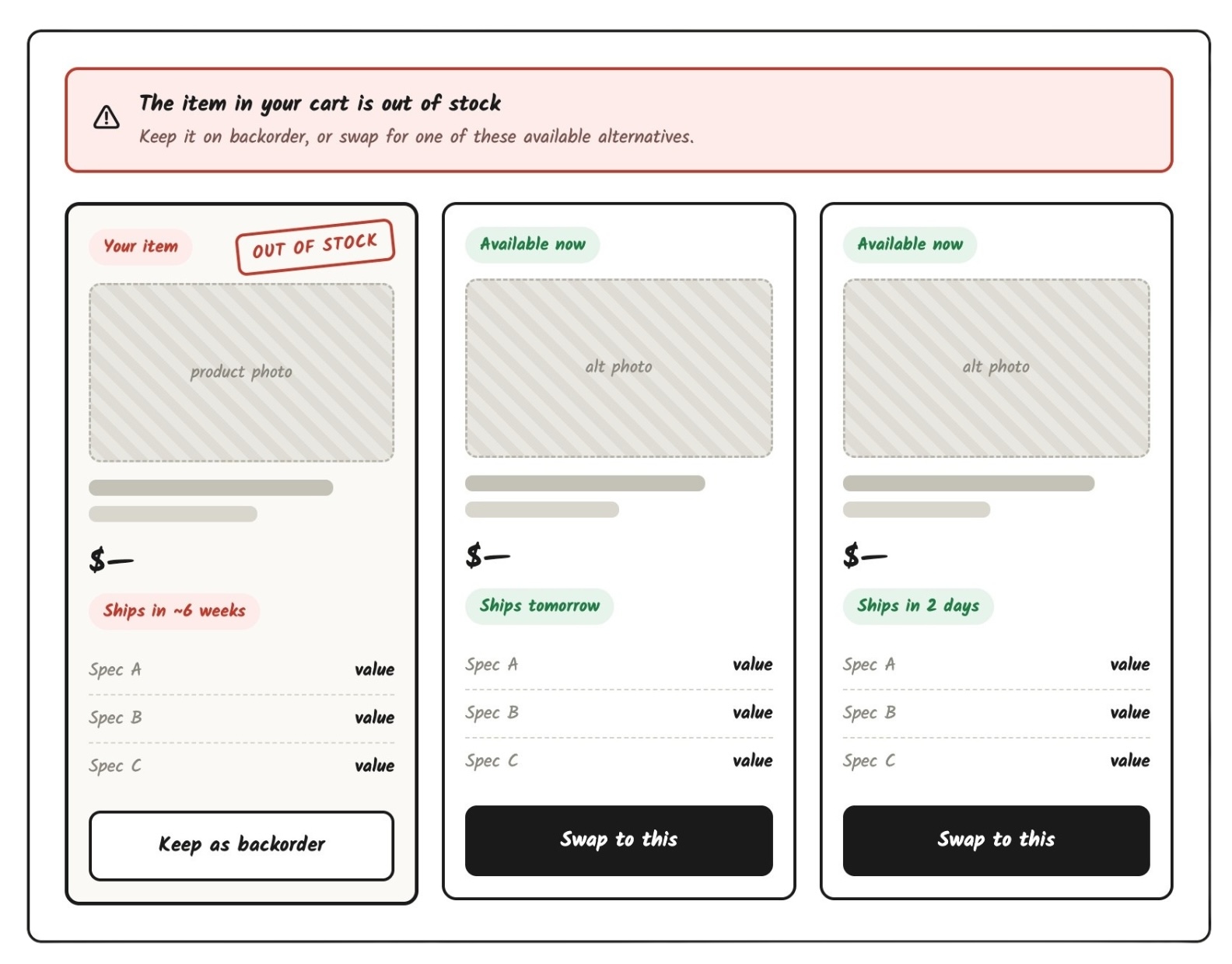
- Find a viable alternative when out of stock, quickly
Frustrations
- Out of stock with no guidance on what to use instead
- Can't compare products without opening multiple tabs
- Search returns irrelevant results for technical terms
AI-Assisted Early Testing
With the flow mapped, I used AI to pressure-test it before any UI existed — role-playing each persona through the journey step by step. Marcus hit an all-or-nothing CSV upload where one bad row failed the whole order; Priya couldn't enter the flow at all without knowing an exact item number. These walkthroughs, together with my own review, exposed four gaps — highlighted below — that reshaped the flow before design began.
Core features
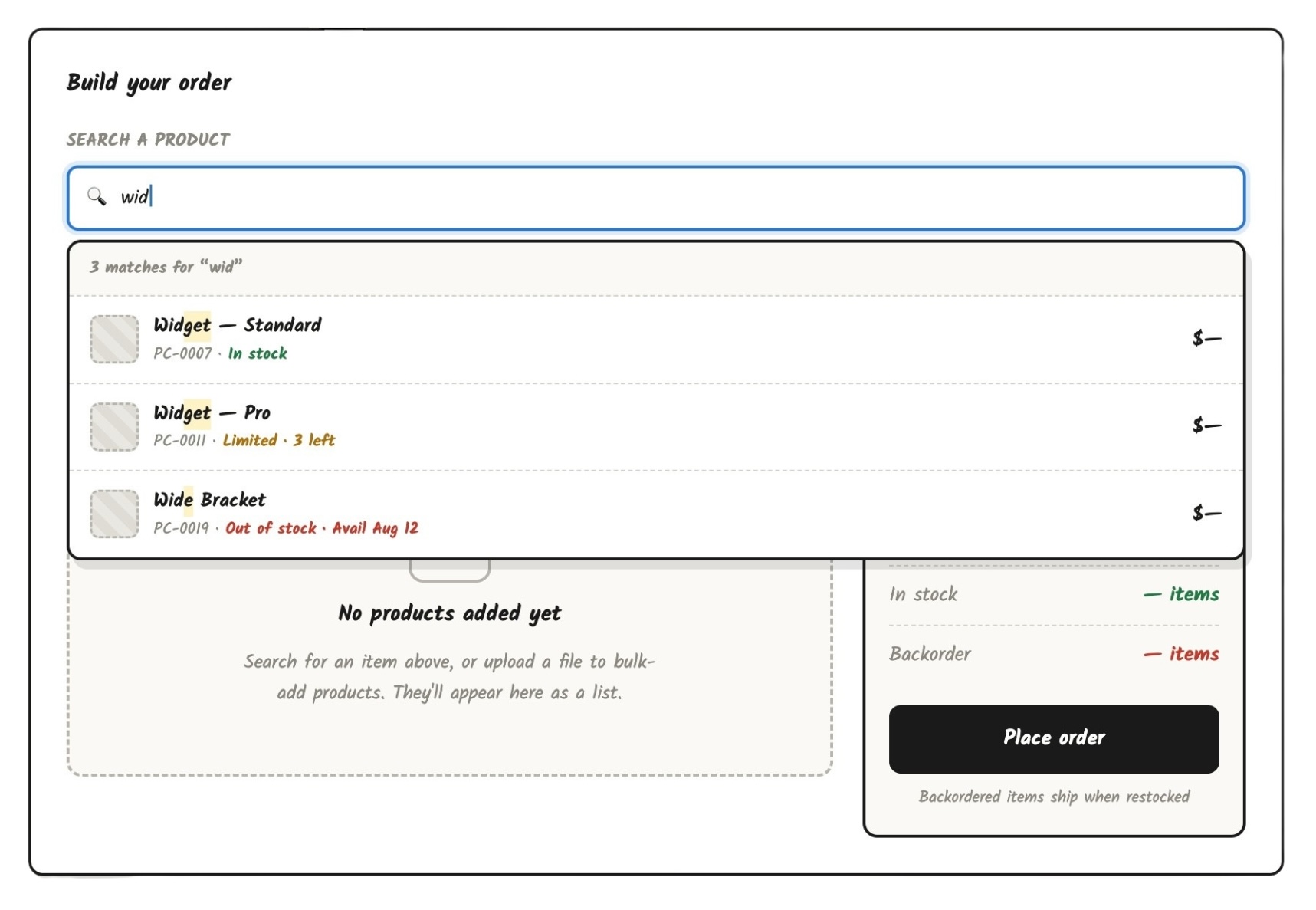
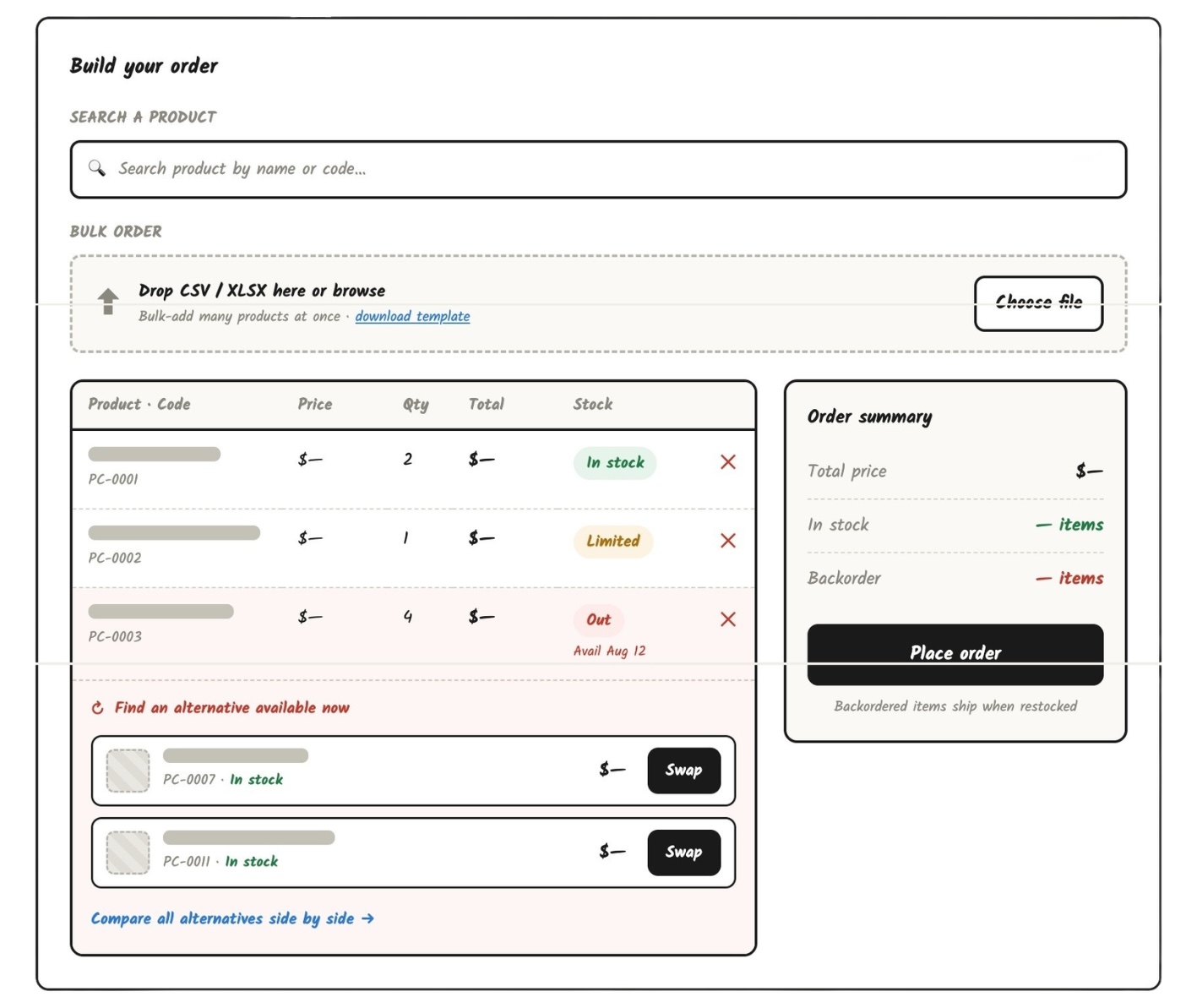
Before committing to full designs, I used AI to quickly sketch three early directions — predictive search, a matched-product list, and an alternative-item comparison — which covered most of what became the six features below. I reviewed these with my PM early to confirm direction before going further.
Real-time stock visibility
Live inventory levels per SKU — shows "In stock", "Low stock", or "Out of stock" with a restock ETA where possible.
Dynamic pricing display
Unit price, volume tiers, and account-specific contract pricing.
Cart integration
Add to cart directly from the P&A view. Quantity selection syncs with live stock limits in real time.
Product comparison
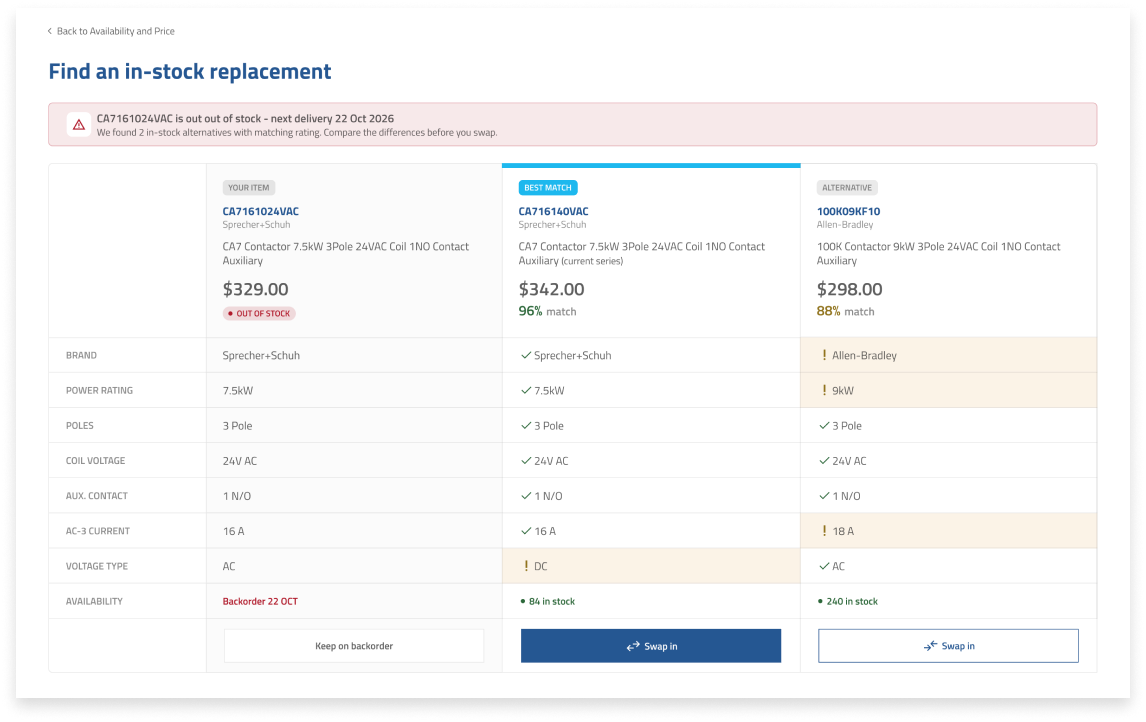
Side-by-side view of up to 3 products — comparing specs, price, and stock level, highlighting the differences.
Bulk ordering tool
Multi-SKU grid with quantity inputs, live price totals, and CSV upload for large orders.
Stock alert / back-in-stock notification
Subscribe to alerts on out-of-stock items. Reduces abandonment and re-engages buyers passively.
UI Design
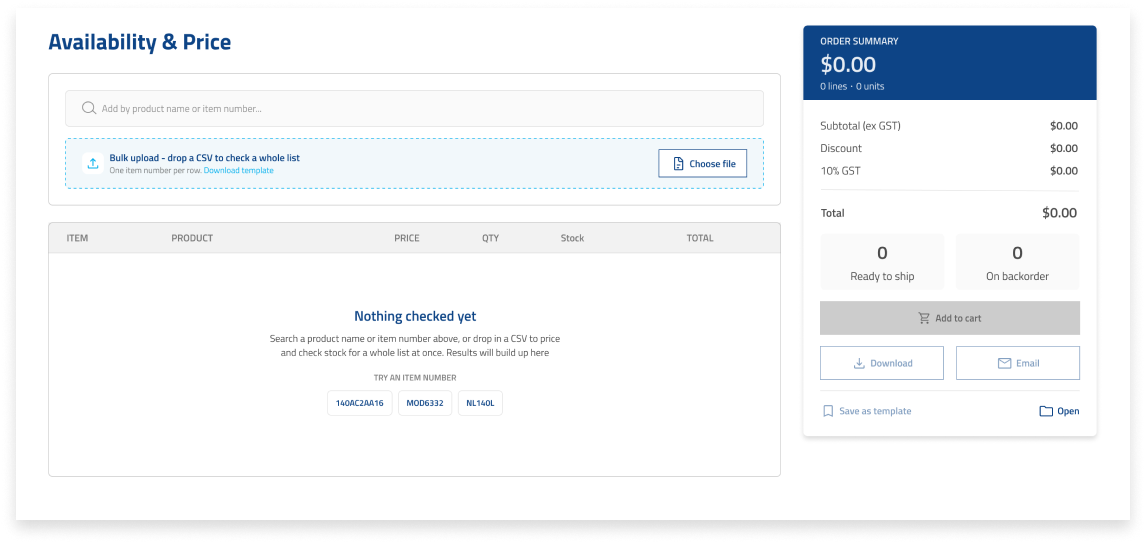
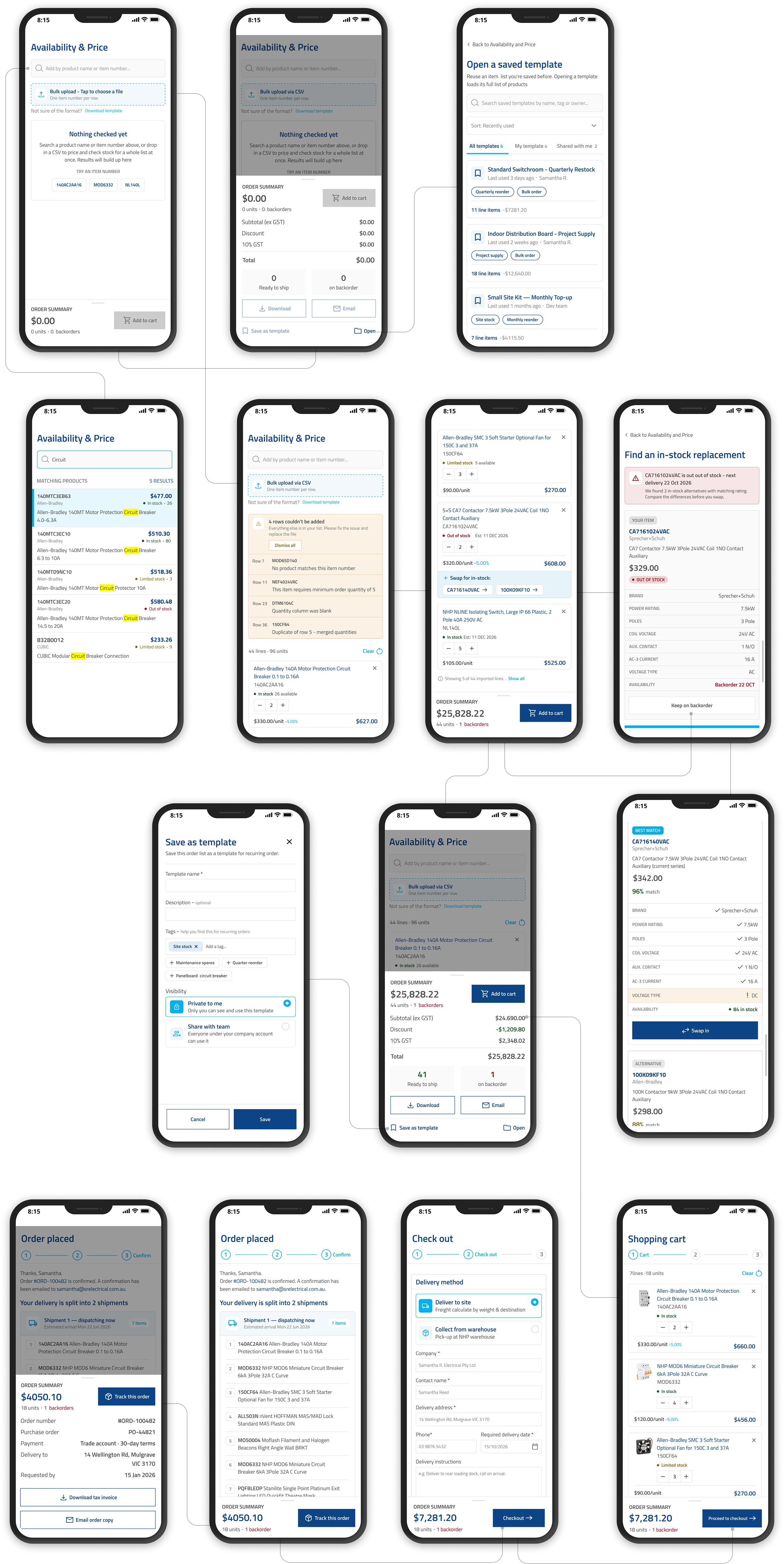
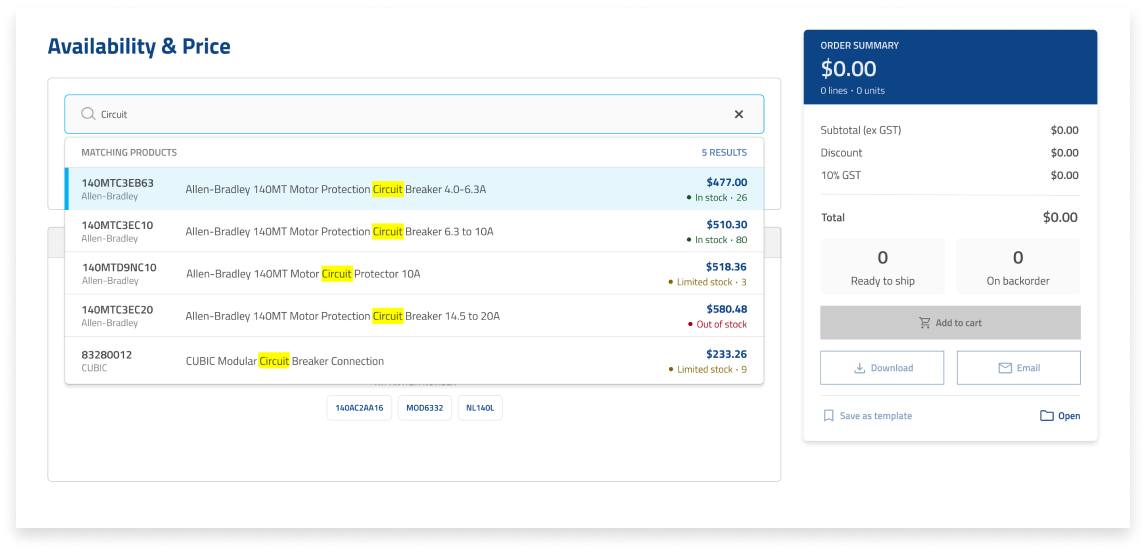
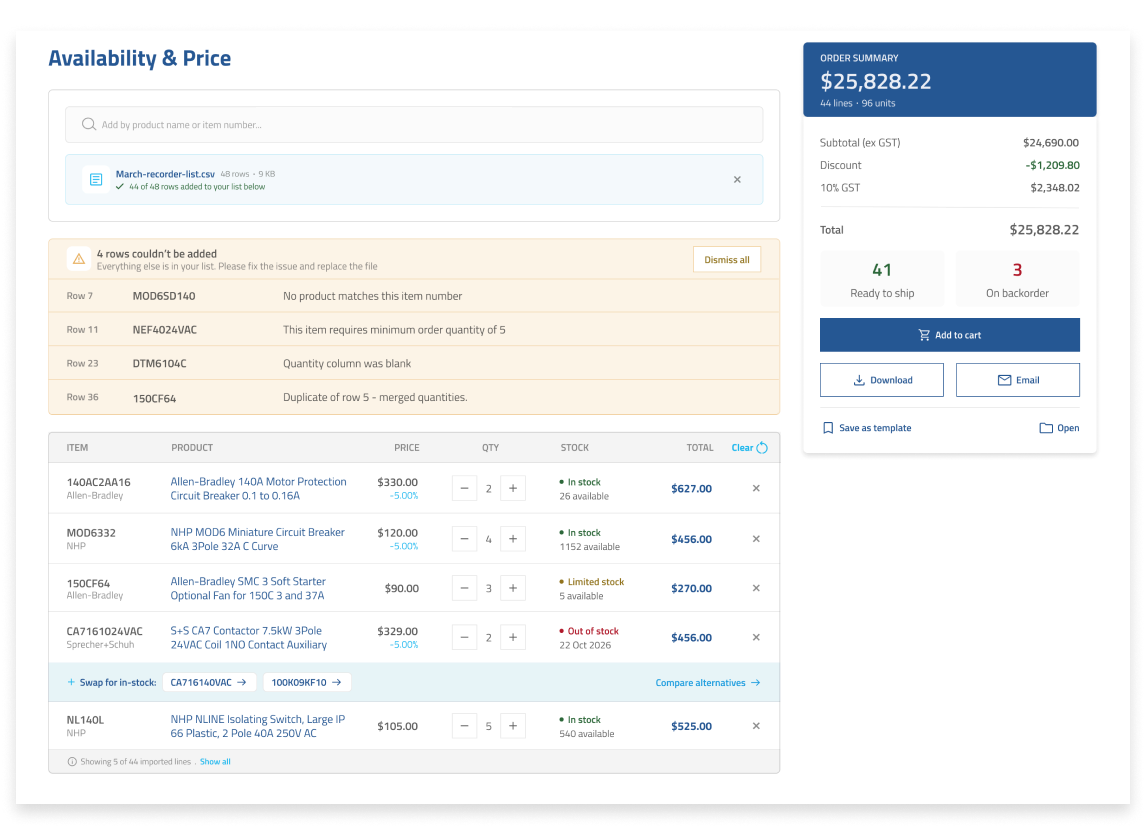
Initial screen load after login — the user can either:
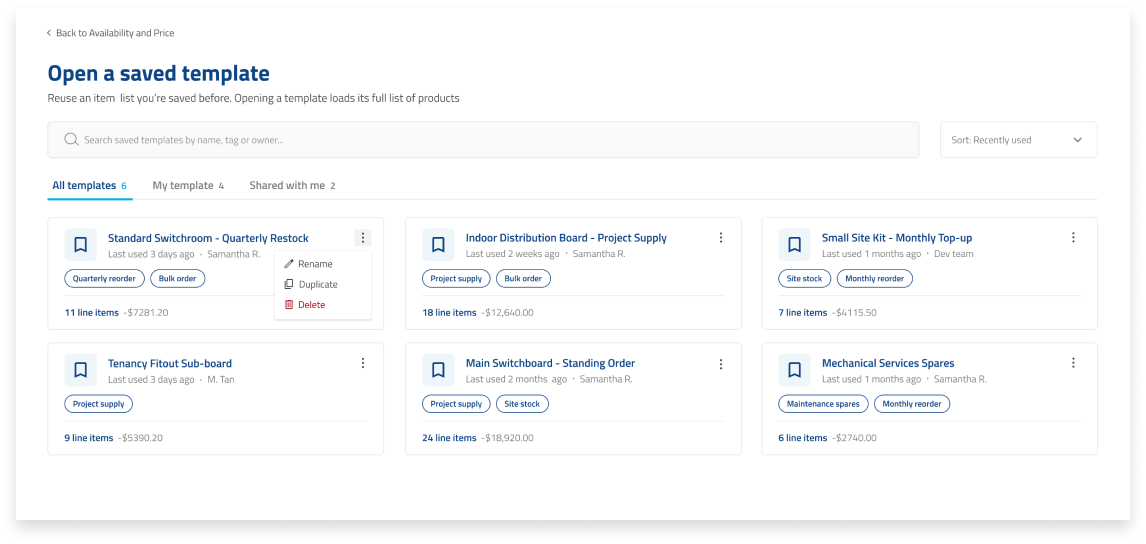
- Quick start with a saved template, or
- Search by name or code as you type, with stock status upfront, or
- Drop a CSV for bulk search
Drop a CSV for bulk search
After the CSV is uploaded, it shows how many items were added and flags which row has an error. To re-upload after fixing errors, the user must first clear the list — otherwise quantities will be merged.
Before proceeding to checkout, the user can:
- Check alternative products for out-of-stock items
- Save as a template, download as PDF, or email a copy
Shows the two best-matched alternatives for an out-of-stock item, highlighting differences and similarities. Users can keep the item on backorder or swap in an alternative.
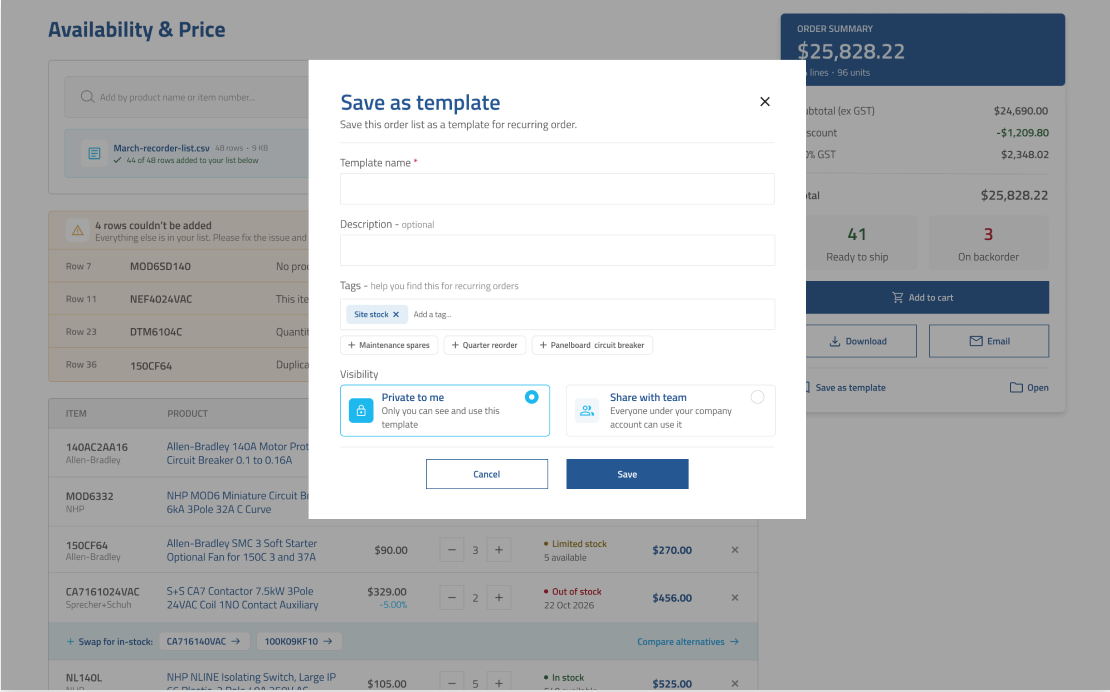
Templates can be tagged for easy retrieval and shared with team members — turning a one-off order into something the whole team can reuse.
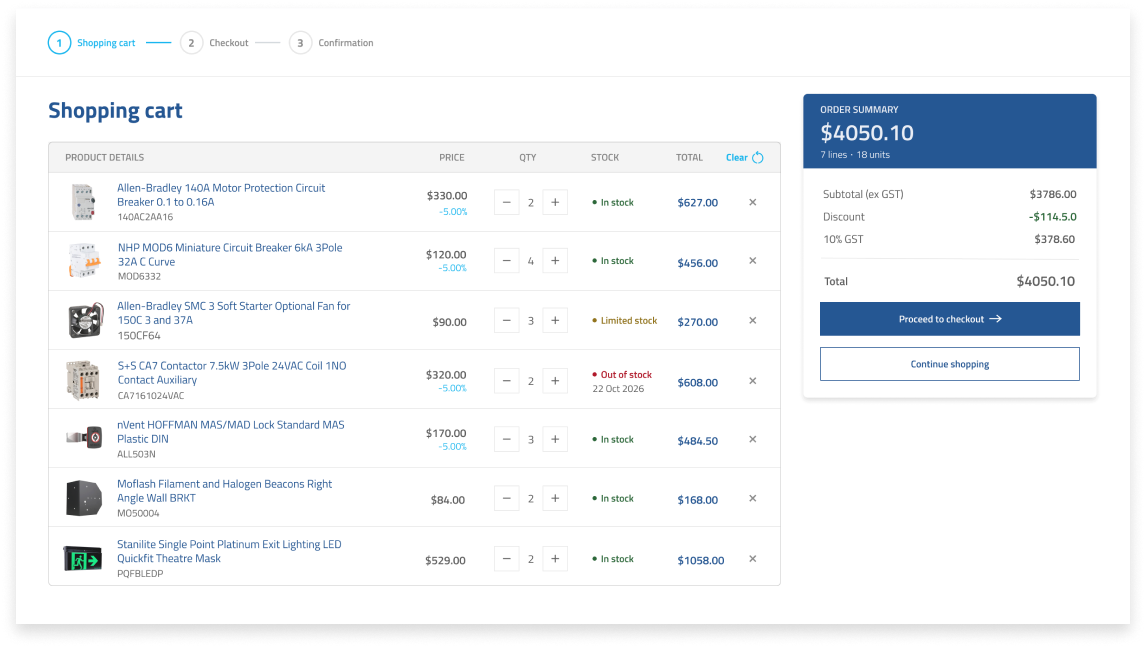
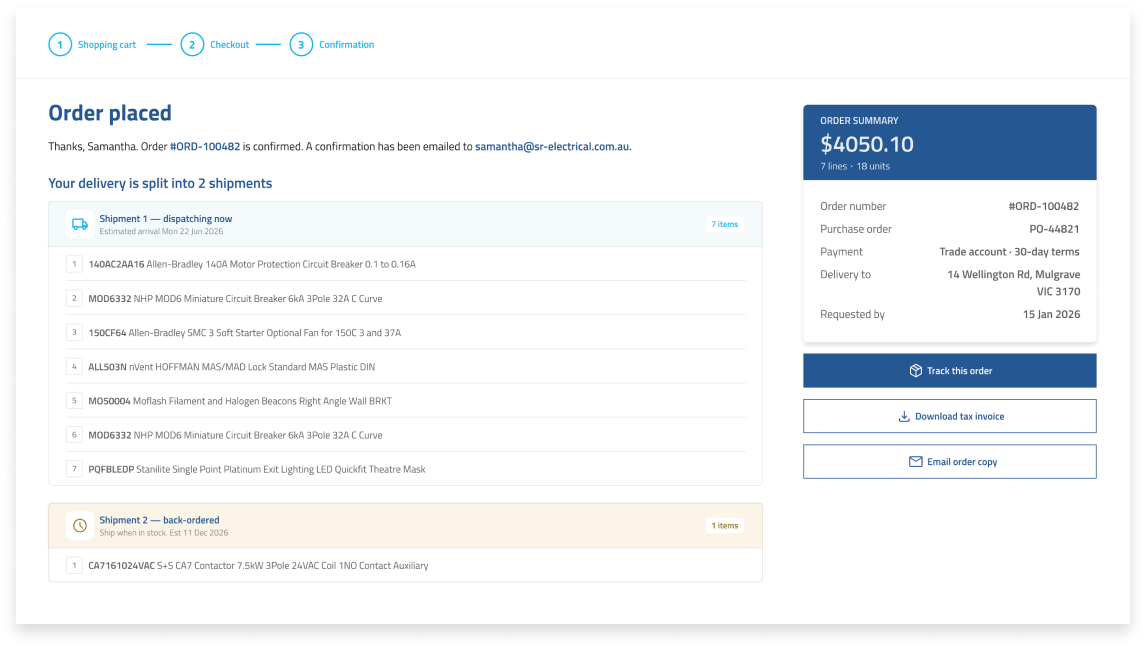
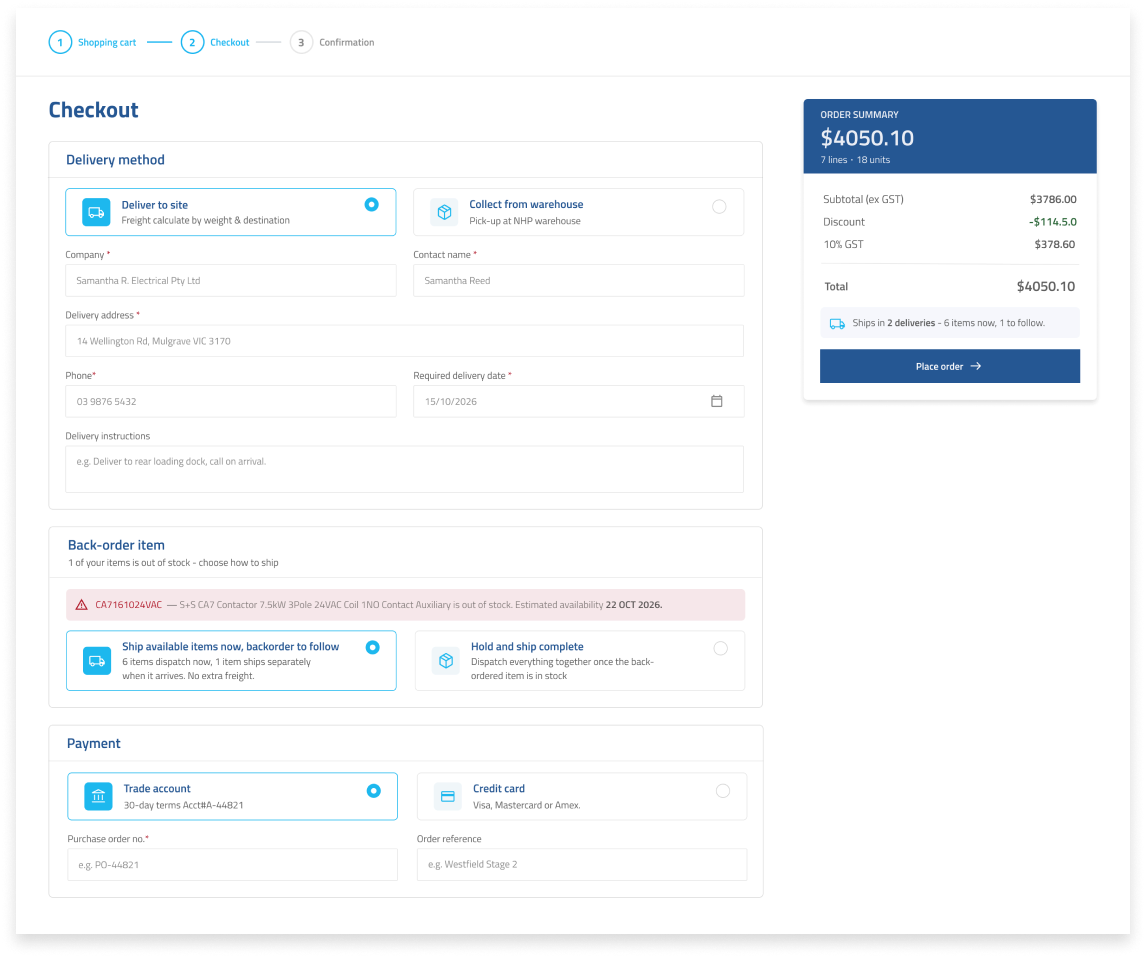
Items move straight from the P&A view into a live shopping cart. A checkout summary gives one final review of pricing and delivery before the order is placed — and a confirmation screen closes the loop with split-shipment tracking.
Mobile Design